Go to fetco.com for the latest versions of all information Page 5 User Guide & Operator instructions MBS-1221 P202Re0August 2021
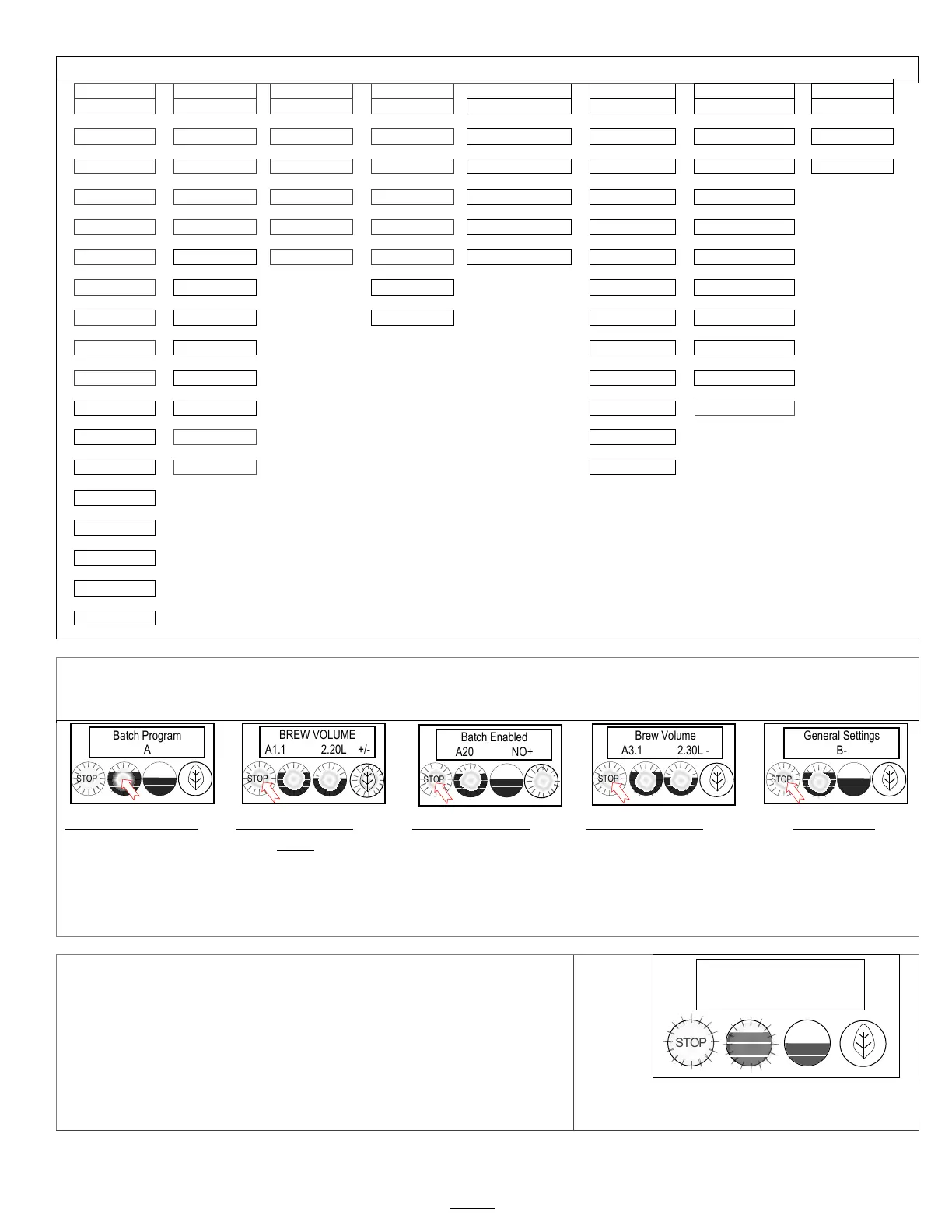
The A menus [A1-3] correspond to batch buttons [1-3] on the touch panel
Access the A menus to PROGRAM & make changes to individual menu recipes. Menu settings can be copied
Menu positions A1 & A3 are permanent. Menu A2 can be removed by operator if desired
Press button 1 to go
to the A menu access
screen
Press STOP to scroll to
A20. Batch A20 can
be configured to be
Tea or Coffee
Press STOP to
scroll to the third
batch in the “A”
menus. Make any
Press STOP to scroll
through COPY and
further to remaining
programming keys.
Press STOP to scroll
through sections
See SAVE & EXIT in
previous table
.
RECIPE Location map
View and change settings for the brew recipes from the “A” screens with
the controls in PROGRAMMING.
The batch A1 position is permanent and cannot be disabled
To access programming steps A20 and A30
Batch programming steps A20 or A30 will not display from step A10
Programming for steps A20 and A30 are accessed from any step in A10
by pressing the STOP button (1x for A20;2x for A30).
DISPLAY
A1
(permanent)
A2
(selectable)
A3
BREW VOLUME
A1.1 2.20L +/-
STOP
Batch Program
A


 To Next Page