Cardiac stimulator 4427 Easypace - Instructions for use
20/40
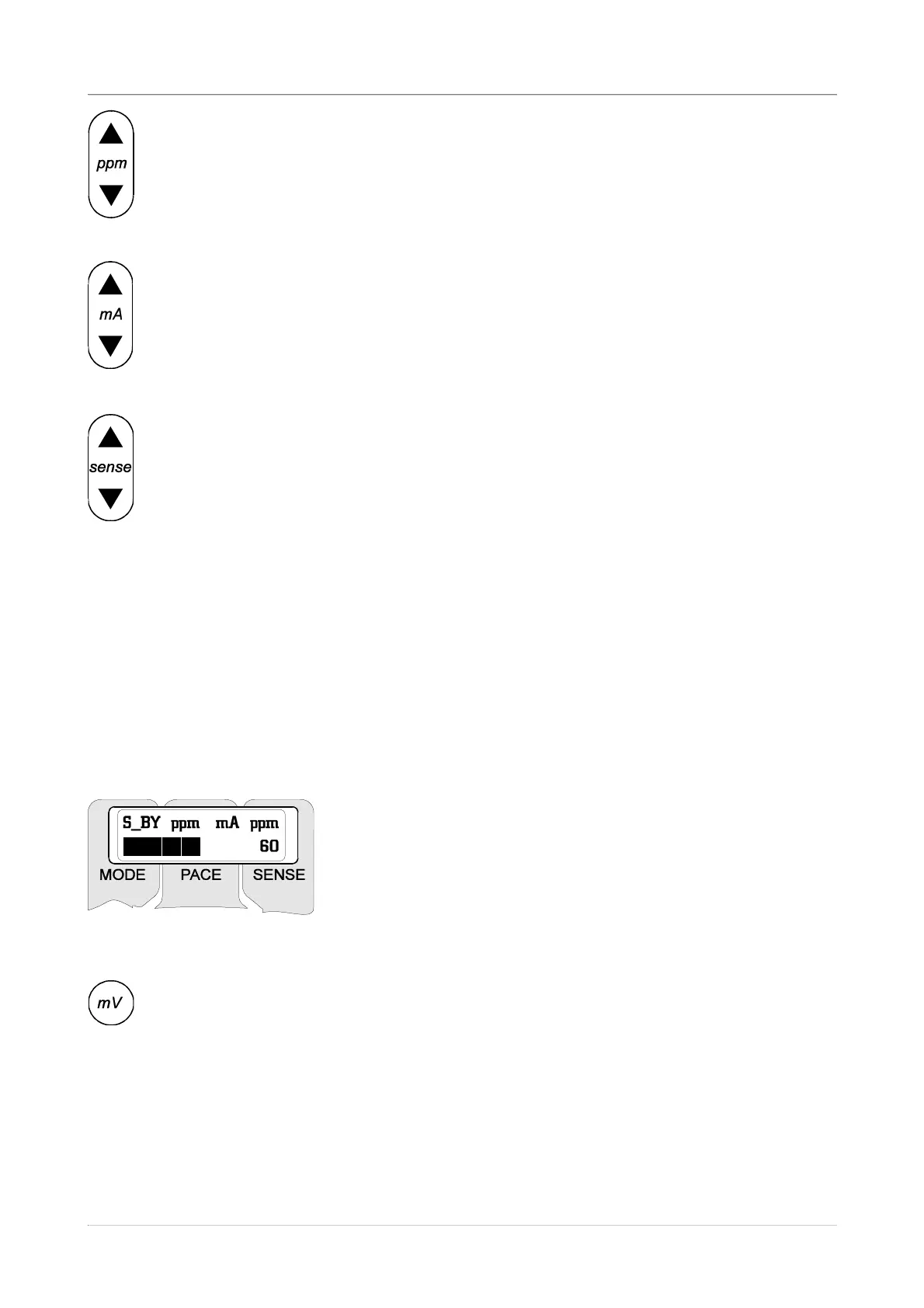
The adjustment of the stimulation rate is made by acting on the pair of keys
ppm ▲ and ▼ whose thus set value is shown on the display. The variation of the
rate by steps of 1 ppm takes place more quickly if the relevant key is kept pressed.
Keys ppm ▲ and ▼ are active in all the operation modes, V00 and VVI included.
The current (mA)-operated variation of the impulse is made by pressing keys
mA ▲ and ▼; also in this case the keys are active in all the operating modes and
the set value is visualised on the display. The variation step of the current is 0.4
mA in the range of 0÷10mA, and then of 2 mA up to the maximum value of 40 mA.
In the STAND-BY and VVI modes the active keys are sense ▲, ▼ and mV, for the
adjustment, respectively, of the sensitivity threshold of spontaneous activity and for
the visualisation of the threshold level (in mV).
For the mode VVI to be performed correctly, careful adjustment of the sensitivity level
should be made beforehand, when operating in the STAND-BY mode. At power on, the
default threshold is 1 mV. The keys sense ▲ and ▼ act on the amplification of the input
signal. Accordingly, an increase of the sensitivity will be obtained by pressing the key
sense ▲ (which will cause the threshold to go down to the minimum value of 0.75 mV)
whereas a decrease of the same sensitivity will be set by the key sense ▼. The capture of
the spontaneous impulse is signalled both by the blinking of the green LED of sense, and
by the appearance on display of the spontaneous rate value which is updated after each
impulse. To graphically show the amplification level being
reached, the second line of the display is replaced - when
using the sensitivity adjustment keys - by a bar indicating the
volume (see figure at the side). At the end of setting, the
display will resume its usual configuration.
For a final verification of the threshold level being set, press the mV key to allow it
to be visualised in place of the spontaneous ppm figure, normally shown on the
display - the visualisation of the threshold value being active for the time this key is
depressed. A release of the same key causes the display to resume its normal
configuration.


 To Next Page