Cardiac stimulator 4427 Easypace - Instructions for use
22/40
The field referring to the operating mode may be S-BY, VVI or V00. When in the V00
mode only, the program burst x4 is activated it will cause x4 to appear on the second line
of the display, while program ramp ▼ will show Ramp on the same line.
The set values for the frequency and amplitude of the stimulating current are indicated in
the middle of the display under the symbol ppm and under mA, respectively.
The last field, visible only in STAND-BY and VVI modes, refers to the spontaneous rate
and to the sensitivity threshold. In case of spontaneous activity capture (signalled by a
blinking of the green LED) the corresponding rate will be displayed under the symbol
ppm. Pressing the mV key will cause the set threshold to be indicated in mV.
NOTE: In order to save the battery life, under normal operating modes (V00 and VVI), the
display is made to go off after 20 seconds from the last key-pressure. The display
will be on again following a pressure of any key.
8.3. Keyboard lock
Apart from using the transparent cover, another function is also available which
allows for locking the emission of commands from the keyboard in order to prevent
accidental modifications to the parameters or involuntary activation of other functions.
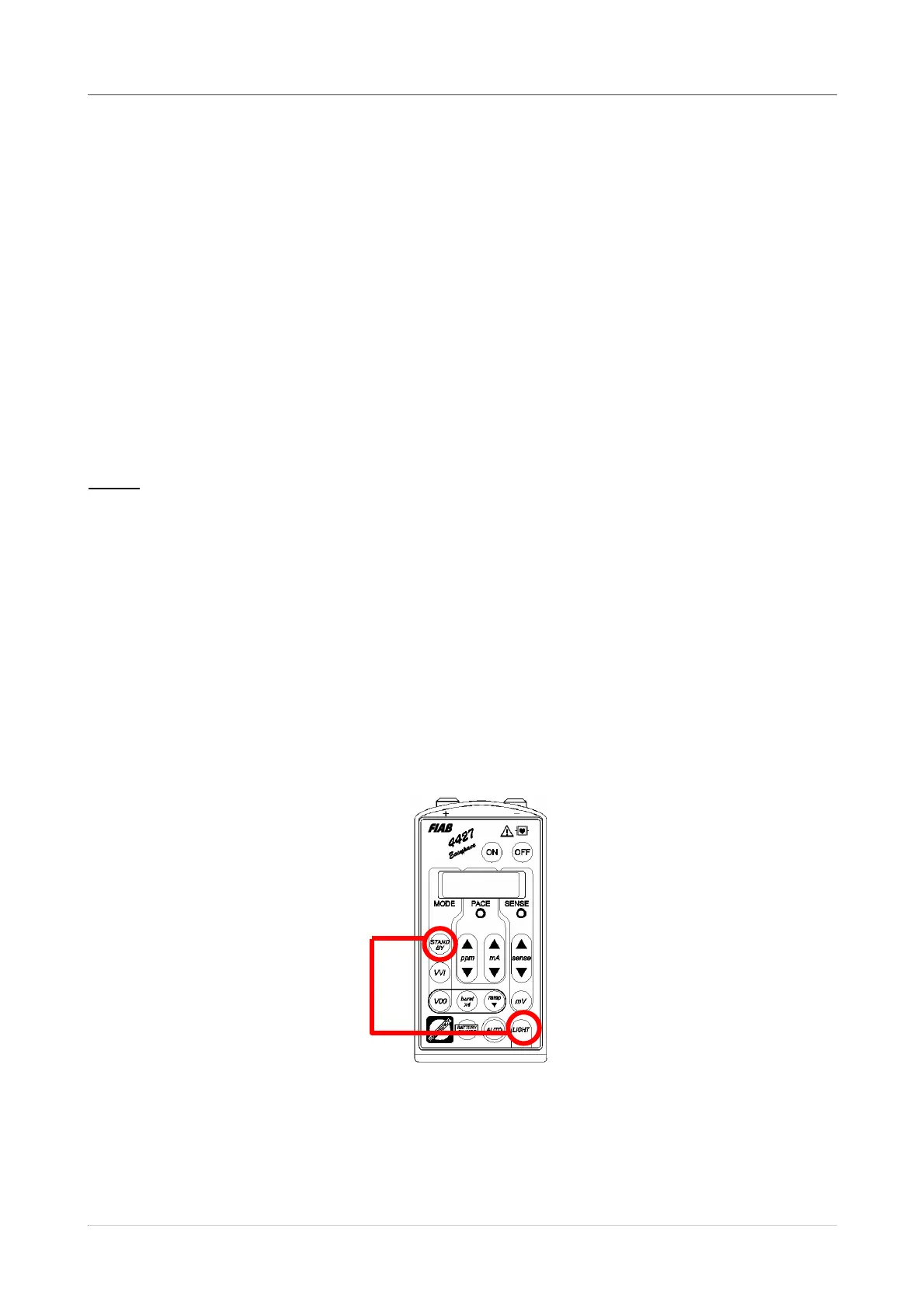
This function is activated by pressing both the “STAND BY” and “LIGHT” keys together for
several seconds.
When the keyboard lock function is activated, the message “KEYBOARD LOCKED”
appears on the display and disappears after 3 seconds.


 To Next Page