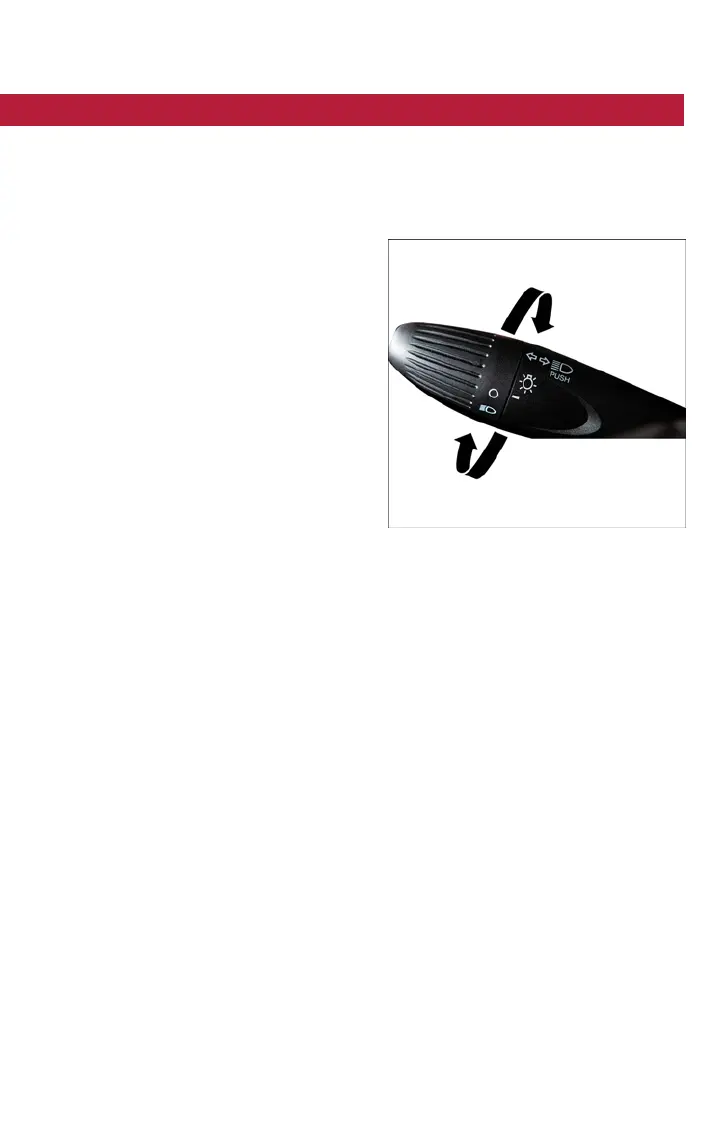
MULTIFUNCTION LEVER
The multifunction lever, located on the left side of the steering wheel, controls the opera-
tion of the headlights, headlight beam selection, passing light and turn signals.
NOTE:
The headlights can only be turned on with the ignition in the ON/RUN position.
Turn Signals
Push the multifunction lever upward to
signal a right turn or downward to signal a
left turn. The corresponding indicator in the
instrument cluster will blink to indicate the
operation of the turn signal.
NOTE:
The indicators will automatically turn off
when the turn has been completed and the
steering wheel is returned to a straight
position.
Lane Change Assist
Tap the lever up or down once, without
moving beyond the detent, and t he turn
signal (right or left) will flash three times then automatically turn off.
Headlights
Rotate the end of the multifunction lever upward to t he first detent for headlight opera-
tion.
NOTE:
When the headlights are turned on, the Daytime Running Lights will be deactivated.
Parking Lights
To turn on the parking lights, remove the key or turn the ignition to OFF/LOCK position
and turn on the headlights.
High Beams
With the low beams activated, push the multifunc tion lever towards the instrument panel
to turn on the high beams. Pull the multifunction lever toward the steering wheel to turn
off the high beams.
Flash-To-Pass
You can signal another vehicle with your headlights by partially pulling the multifunction
lever toward the steering wheel. This will cause the high beam headlights to turn on until
the lever is released.
Turn Signal/Lights Lever
OPERATING YOUR VEHICLE
29



 To Next Page