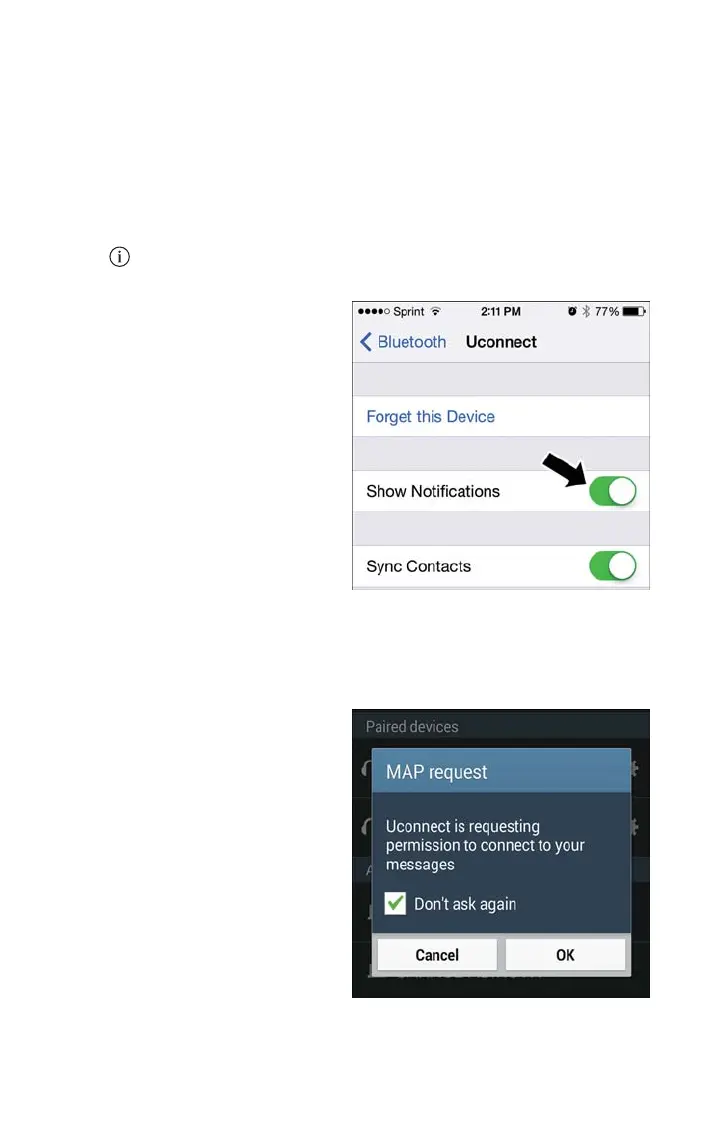
To enable incoming text messaging:
iPhone
1. Press the settings button on the mobile phone.
2. Select Bluetooth.
• Ensure Bluetooth is enabled, and the mobile phone is paired to the Uconnect system.
3. Select
located under DEVICES next to Uconnect.
4. Turn “Show Notifications” to On.
Android Devices
1. Push the Menu button on the mobile
phone.
2. Select Settings.
3. Select Connections.
4. Turn “Show Notifications” to On.
• A pop up will appear asking you to accept a request for permission to connect to
your messages. Select “Don’t ask again” and press OK.
NOTE:
All incoming text messages received during
the current ignition cycle will be deleted
from the Uconnect system when the igni-
tion is turned to the Off position.
Enable iPhone Incoming Text Messages
Enable Android Device Incoming Text
Messages
ELECTRONICS
68



 To Next Page