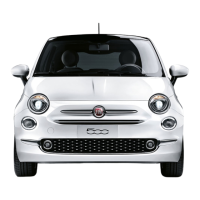
Front Fog Lights — If Equipped
The front fog light switch is built into the headlight switch.
To act ivate the front fog lights, turn on the p ark ing lights or the low beam headlights and
push the headlight switch. To turn off the front fog lights, push the headlight switch a sec-
ond time or turn off the headlight switch.
An indicator light in the ins trument cluster illuminates whe n the fog lights are turned on.
NOTE:
• The fog lights will opera te with the low beam headlights or parking lights on. Selecting
the high beam headlights will turn off the fog lights.
• The fog lights also function as cornering lights. Therefore there will be times when only
one light is on.
Parking Lights
Rotate the headlight switch to the first position to turn on the parking lights. The parking
light indica tor in the cluster will illuminate.
Headlight Delay
This feature provides the safety of headlight illumination for up to 90 seconds when leav-
ing your vehicle in an unlit area.
The time delay of the headlig hts is programmable between 0, 30, 60 and 90 seconds.
Headlight Delay Activation
To activate the delay feature, place the ignition in the STOP/OFF position while the head-
lights are still on. Then, turn off the headlights within two minutes. The delay interval be-
gins when the headlight switch is turned off.
Headlight Delay Disable
The feature is disabled by turning on the headlights, the parking lights or by placing t he
ignition in the MAR/RUN position.
If you shut off the lights before the ignition is turned on, they will turn of f in the normal
manner.
NOTE:
The lights must be turned off within two minutes of placing the igniti on in the STOP/OFF
position to activate t his feature.
OPERATING YOUR VEHICLE
37


 To Next Page