ITALIANOENGLISH
41
Long button press: scan of higher
frequencies until released/fast
forward of USB track.
Central button: With each press
advances between AM, FM, DAB,
USB and Bluetooth
®
sources. Only
the available sources will be selected.
Lower button (volume down):
Brief button press: search for
next radio station or select USB
previous track.
Long button press: scan of lower
frequencies until released/fast
forward of USB track.
Button B (steering wheel right
side)
Upper button (volume up):
Brief button press: single volume
increase
Long button press: fast volume
increase
Central button: volume on/off (Mute/
Pause)
Lower button (volume down):
Brief button press: single volume
decrease
Long button press: fast volume
decrease
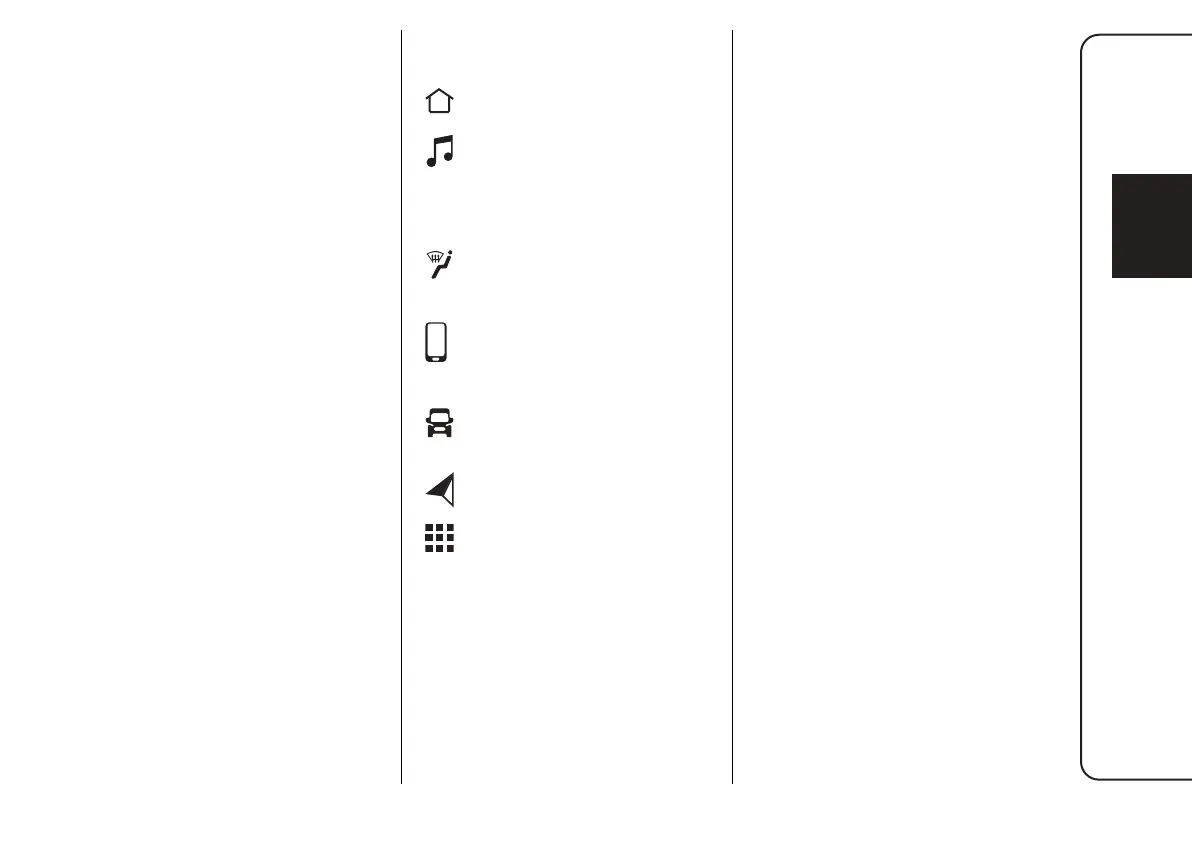
GRAPHIC BUTTONS ON
DISPLAY
Home: Main screen
display
Media: Access Media
mode to select available
sources, folder tracks
and interaction with audio
settings
Comfort (where provided):
Climate control system
settings
Phone: Access to the
Phone mode
Vehicle: Access to
additional vehicle settings
and functions
Nav (where provided):
Start Navigation system
App: Access the list of
available Apps
Mobile phone
registration
The pairing of a Bluetooth
®
device
(e.g. a smartphone) is done via the
"Device Manager" function on the
"Phone".
Proceed as follows to pair a device:
activate the Bluetooth
®
function
on the device
access the "Device Manager"
function
pr
ess the "Add Device" button
a pop-up window shows the
provisional PIN to be entered
on the device; search for
Uconnect™ on the Bluetooth
®
audio device and when prompted
by the audio device, enter the PIN
code shown on the system display
or confirm the displayed PIN on
the device
if the pairing procedure is
completed successfully, a screen
is displayed.
Answer "Yes" to the question to pair
the Bluetooth
®
audio device as
favourite (the device will have priority
over all other devices to be paired
subsequently).
If "No" is selected, the priority is
determined according to the order of
connection. The last device connected
will have the highest priority.





 To Next Page