42
NAVIGATION
Navigation main menu
“Search”: to search for an
address, a place or a Point
of Interest, and then plan a
route to that location
"Drive Home": to navigate
to the location registered
as "Home". If "Add Home”
is displayed, select this
button to set the location
of your home
"Drive to work": to
navigate to the location
registered as "Work". If
"Add Work” is displayed,
select this button to set
the work position
"Recent": to open the
list of recent destinations
that can be selected for
navigation
“Favourites”: to display
saved favourites
"Trips”: to display the
saved trips
"Maps": to display a list of
installed maps
"Settings": to open the
“Settings” menu to change
the items shown on the
navigation display
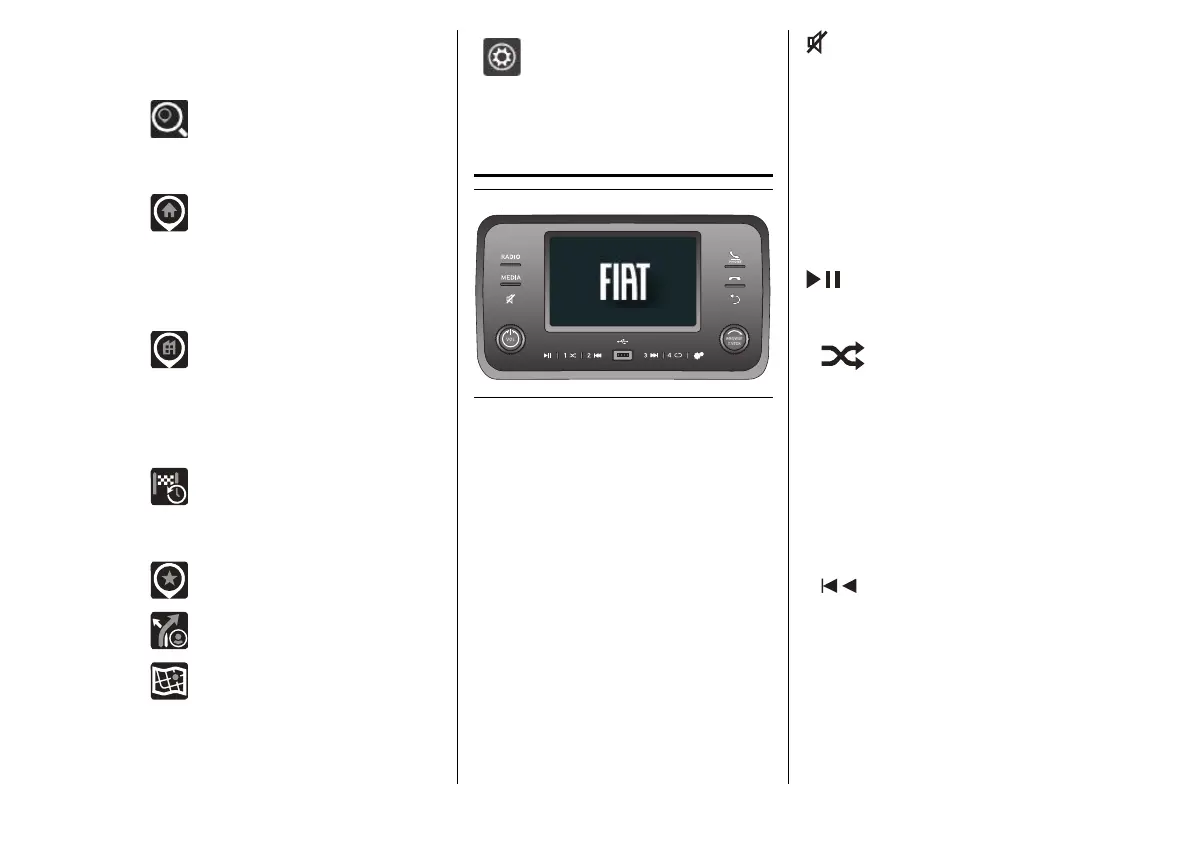
UCONNECT™ 5
73 F1A0724
RADIO
Source selection: AM, FM, DAB
(where provided)
MEDIA
Source selection: USB, Bluetooth®
audio
Volume on/off (Mute)
VOL
Brief button press: system switch-
on
Brief button press: system switch-
off
Left/right rotation of knob: volume
adjustment
Activation/deactivation of Play
(playback) / Pause function
1
Brief button press:
Radio source: Select the radio
station stored under "Preset 1"
Media source: On/Off random
playback of tracks in the device
Long button press:
Radio source: Store the radio station
currently playing under "Preset 1"
2
Brief button press:
Radio source: Selection of the radio
station stored in "Preset 2"
Media source: Previous song
selection


 To Next Page
 Loading...










