DISPLAY
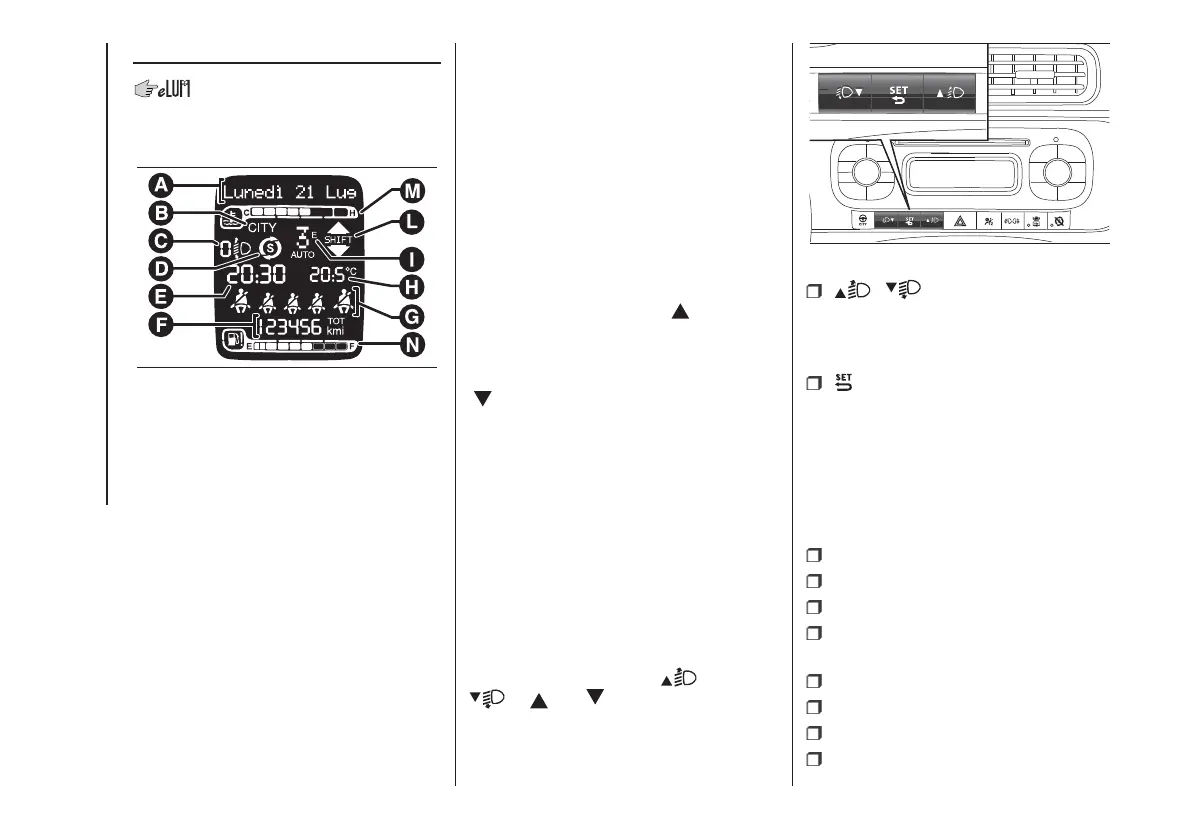
The display fig. 45 will show the
following information:
A
Date
B
Dualdrive electric power steering
engagement indication (CITY text)
C
Headlight alignment position (only
with dipped beam headlights on)
D
Start&Stop function indication (for
versions/markets where provided)
E
Time
F
Milometer (display of distance
travelled in kilometres/miles)
G
Seat belt indicators
H
Outside temperature (for versions/
markets, where provided)
I
Gear engaged indication (Dualogic
versions only)
L
Gear Shift Indicator (for versions/
markets, where provided)
M
Engine coolant temperature indicator.
N
Fuel level indicator.
GEAR SHIFT INDICATOR
The GSI (Gear Shift Indicator) system
advises the driver to change gear
through a specific indication on the
control panel. Through the GSI, the
driver is notified that changing gear will
allow a reduction in fuel consumption.
When the SHIFT UP icon (
SHIFT)
is shown on the display, the GSI
advises the driver to engage a higher
gear, while when the SHIFT DOWN icon
(
SHIFT) is shown, the GSI advises
the driver to engage a lower gear.
The indication remains displayed until a
gear is shifted or the driving conditions
go back to a situation where
gearshifting is not required to improve
consumption.
CONTROL BUTTONS
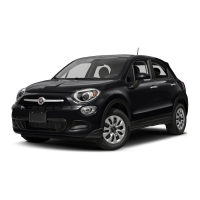
They are located on the dashboard fig.
46.
Note The symbol on the buttons
depends on the version:
and
or and .
/ : press and release the
buttons to scroll the menu items
upwards or downwards, or to
increase/decrease the displayed value.
: press briefly to access the
menu and/or go to next screen
or confirm the desired selection. Hold
pressed to go back to the standard
screen.
SETUP MENU
The menu includes the following items:
MENU
LIGHTING
SPEED WARNING
HEADLIGHT SENSOR (for
versions/markets where provided)
TRIP B ACTIVATION/DATA
SET TIME
SET DATE
SEE RADIO (for markets/versions,
where provided)
45
F1D0002
46
F1D0003
38
KNOWING THE INSTRUMENT PANEL



 To Next Page