2 - 6
AM35 Mainboard Manual
2). Install Memory Modules
1. Locate the DIMM slots on the mainboard.
2. Install the DIMM straight down into the DIMM slot using both hands.
3. The clip on both ends of the DIMM slot will close up to hold the DIMM
in place when the DIMM reaches the slot bottom.
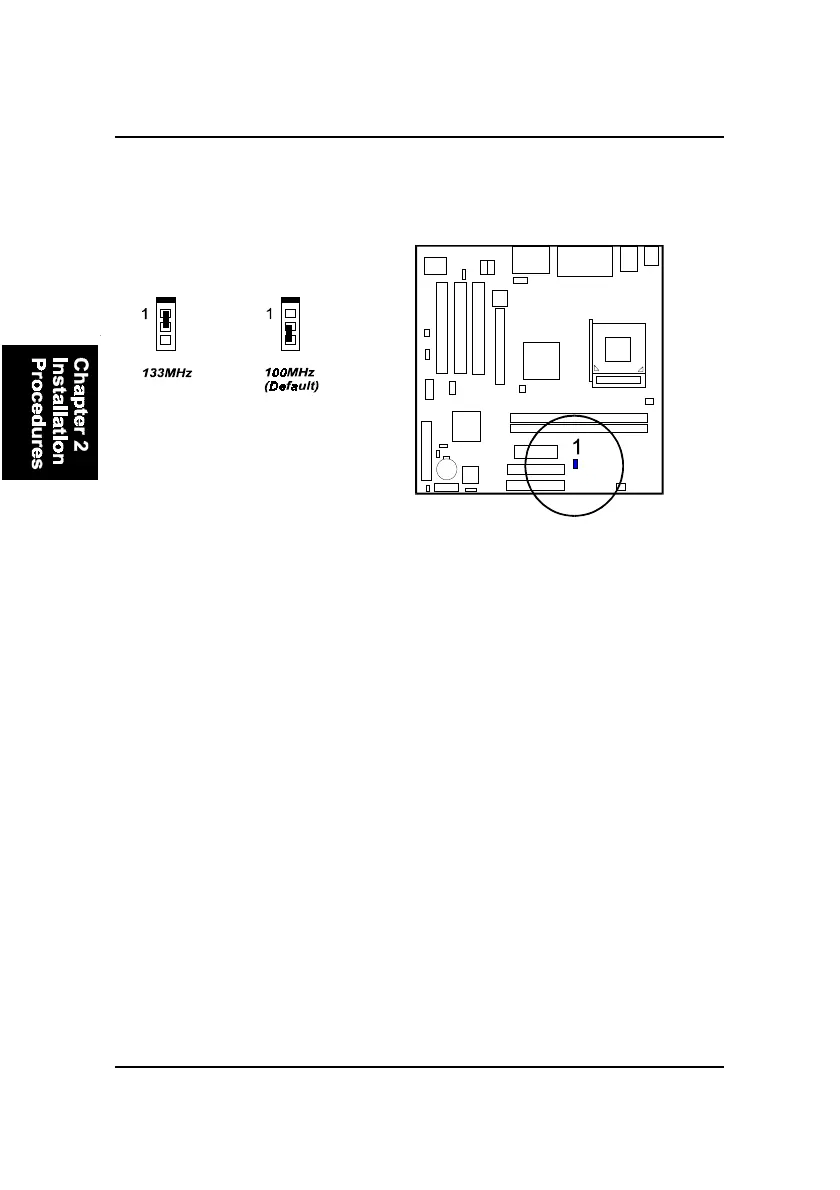
FSB Frequency Select: FSB
This jumper allows you to select the front side bus frequency of the board.



 To Next Page