3 - 11
BIOS Setup
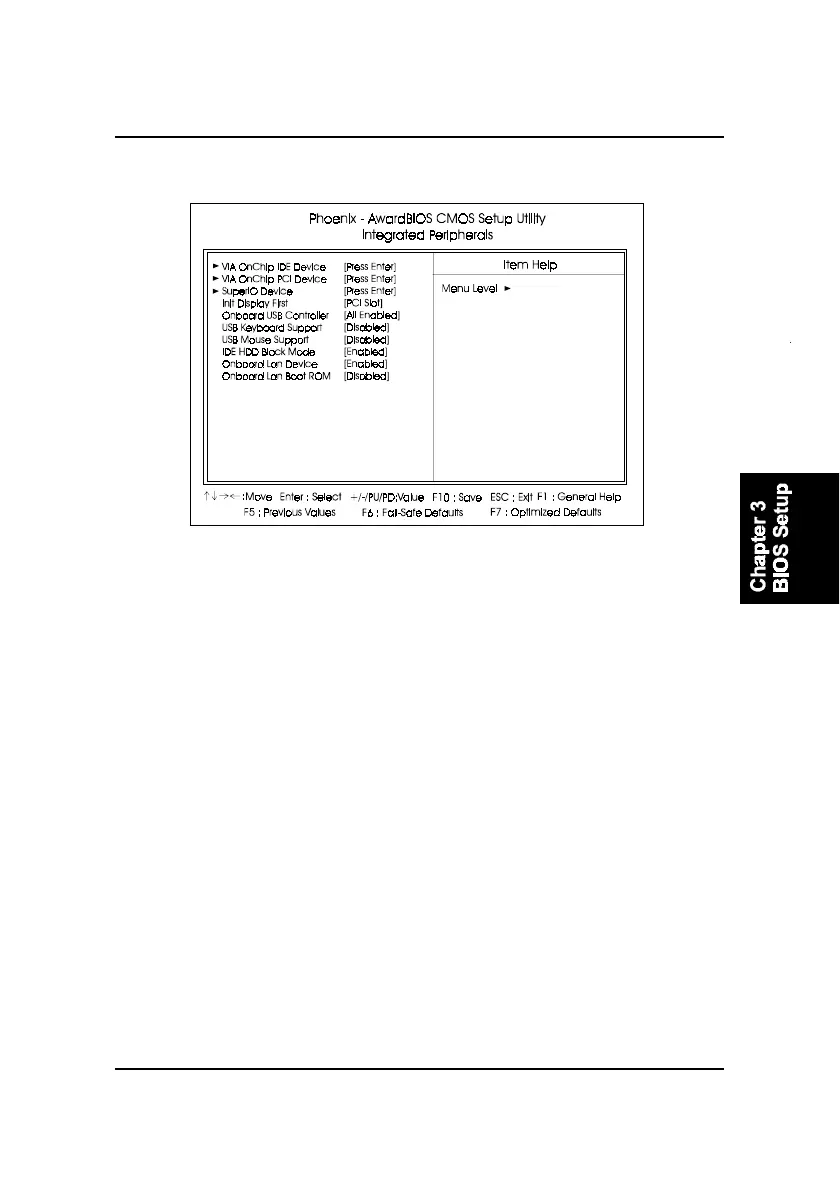
Integrated Peripherals
VIA OnChip IDE Device
OnChip IDE Channel0
When enabled, allows you to use the onboard primary PCI IDE. If a hard
disk controller card is used, set at Disabled.
The options are: Enabled, Disabled.
OnChip IDE Channel1
When enabled, allows you to use the onboard secondary PCI IDE. If a
hard disk controller card is used, set at Disabled.
The options are: Enabled, Disabled.
IDE Prefetch Mode
When set at Enabled, it allows data to be posted to and prefetched from
the primary IDE data ports. Data prefetching is initiated when a data port
read occurs. The read prefetch eliments latency to the IDE data ports and
allows them to be performed back to back for the highest possible PIO data
transfer rates. The first data port read of a sector is called the demand read.
Subsequent data port reads from the sector are called prefetch reads. The
demand read and all prefetch reads must be of the same size (16 or 32 bits).
The options are: Enabled, Disabled.



 To Next Page