3 - 20
AM35 Mainboard Manual
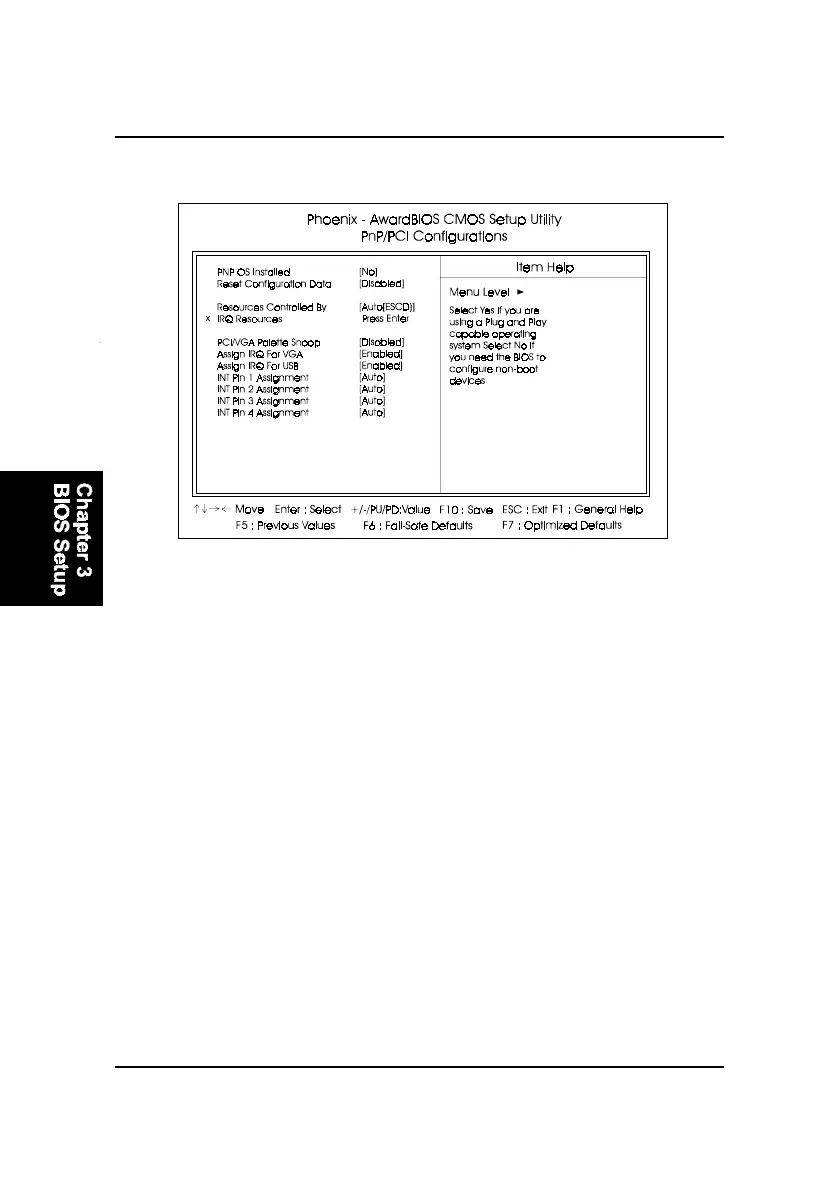
PCI/VGA Palette Snoop
Set this feature to be enabled if any ISA adapter card installed in the
system requires the VGA palette snoop function.
The options are: Disabled, Enabled.
Resources Controlled By
If set at Auto, the BIOS arranges all system resources. If there exists con-
flict, select Manual. The options are: Auto (ESCD), Manual.
The manual options of IRQ- / DMA- assigned to are: PCI/ISA PnP, Legacy
ISA.
Reset Configuration Data
Enabling it to reset the system Extended System Configuration Data (ESCD)
when you exit Setup if you have installed a new add-on card and the
system reconfiguration has caused such a serious conflict that the operat-
ing system can not boot. The options are: Disabled, Enabled.
PNP OS Installed
If your operating system is a Plug-and-Play one, such as Windows NT,
Windows 95, select Yes. The options are: No, Yes.
PnP/PCI Configurations



 To Next Page