7 INCH DIGITAL PICTURE FRAME
7
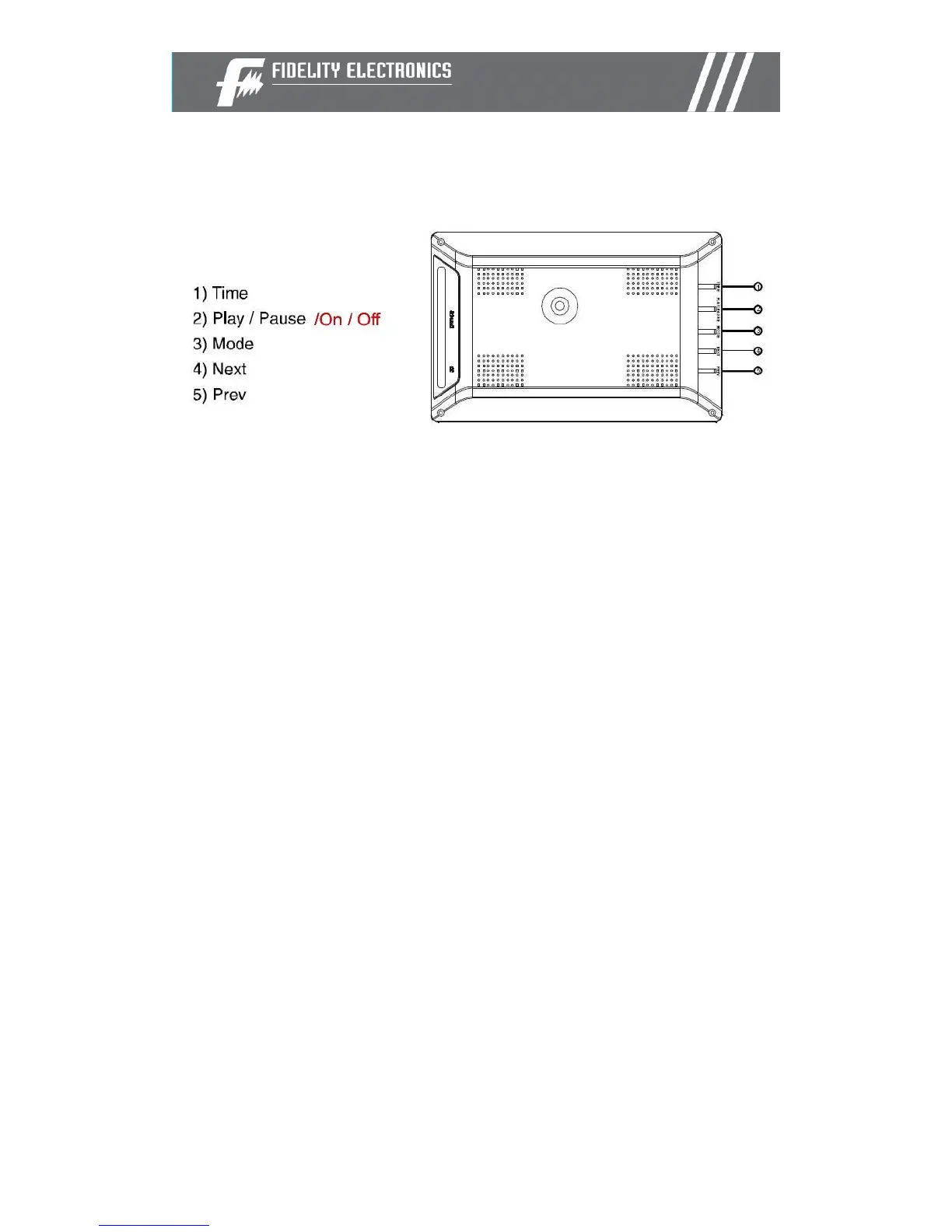
Buttons
Time: Press this button to set the interval between each photo in a slideshow.
Values are defined in seconds.
Play/Pause/on/off: Press this button to pause a picture. Press this button
again to resume the slideshow. Hold the button for 3-5 seconds to power
on/off.
Mode: Press this button to choose a screen display mode: fill / original / auto
fit / pan scan
Next: Press this button to see the next picture
Prev: Press this button to see the previous picture



 To Next Page