15
VIEW Select
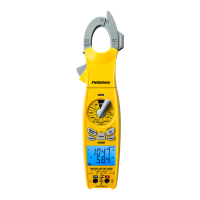
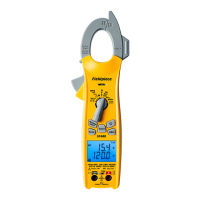
Press VIEW to cycle through ODDB (outdoor
dry bulb), TSH (target superheat), and T1-T2
(middle display - bottom display).
ODDB: Live reading of the rear ODDB thermocouple jack. ODDB does
not show if set to manual value (page 27).
TSH: Live target superheat calculated from ODDB and IDWB. Each of
these measurements can be live or manually entered (page 17).
T1-T2: Live simple subtraction of the bottom display (T2) from the
middle display (T1). With SLT and LLT showing, you can check for
a temperature drop across a lter drier. With R and S showing, you
can check the eect of the indoor unit. With TΔT and ΔT showing,
you can see how close the actual ΔT is to the target.
AIR Select
Press AIR to display various calculations
and measurements from Job Link system
psychrometers you’ve assigned (page 26). The
parameter is briey shown when pressed, then
shown at the top of the LCD.
Press AIR for >1 second to view SLT/LLT.
SLT: Live reading of suction line temperature.
LLT: Live reading of liquid line temperature.
R: Live reading from return air psychrometer.
S: Live reading from supply air psychrometer.
TΔT: Live target dry bulb split from psychrometers.
ΔT: Live actual dry bulb split from psychrometers.


 To Next Page
 Loading...