COMMAND WORKSTATION 20
TO DEFINE COVER MEDIA SETTINGS
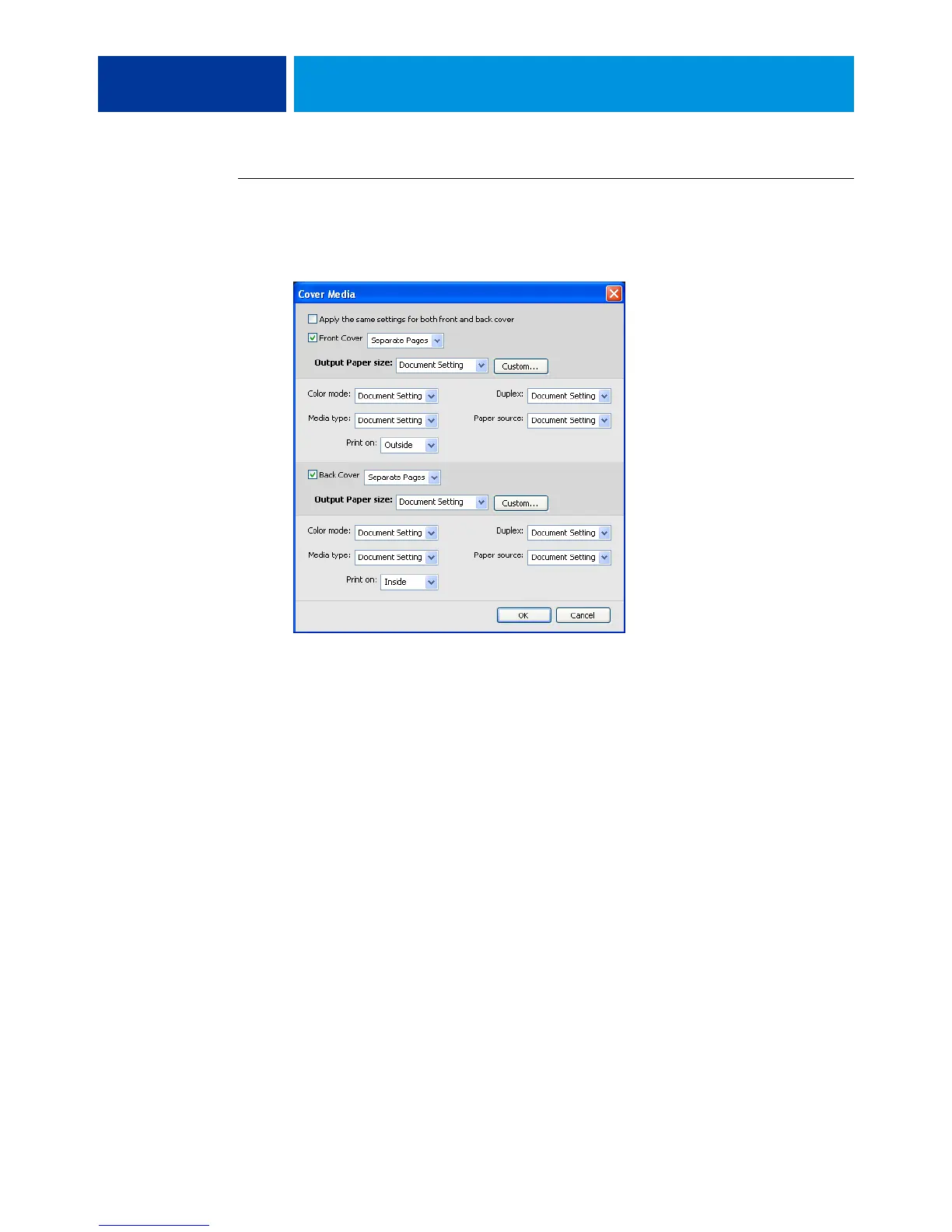
1 In the Mixed Media dialog box, click Define Cover.
The Cover Media dialog box appears.
2 To define identical front cover and back cover media, select the “Apply the same settings
for both front and back cover” option. To define media settings for the front or back cover
individually, select the Front Cover or Back Cover option.
3 Choose other settings, as required, from the pull-down menus.
4 Click OK to return to the Mixed Media dialog box.
Cover Media settings override settings defined in the Page/Page Range Media dialog box.


 To Next Page