6
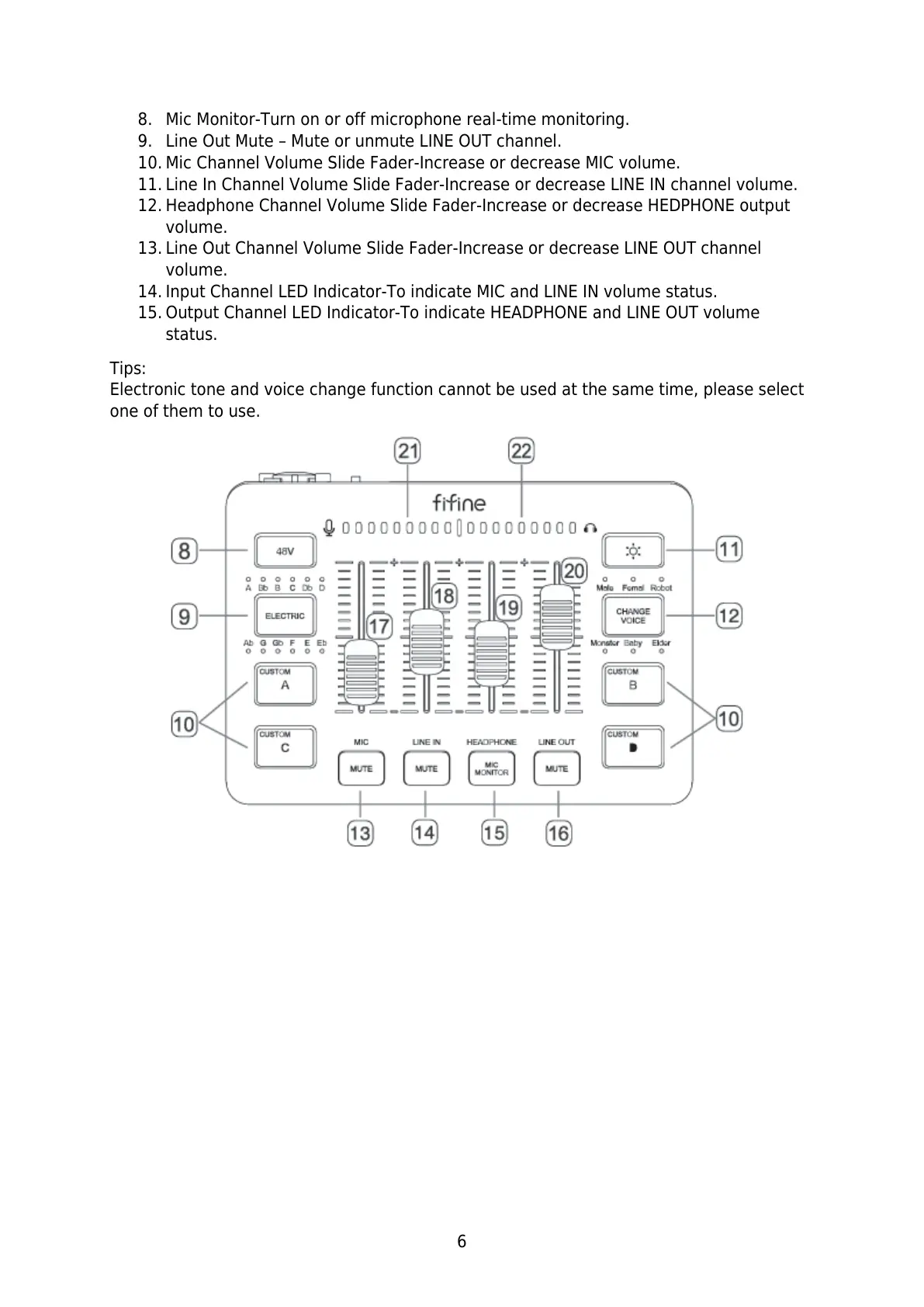
8. Mic Monitor-Turn on or off microphone real-time monitoring.
9. Line Out Mute – Mute or unmute LINE OUT channel.
10. Mic Channel Volume Slide Fader-Increase or decrease MIC volume.
11. Line In Channel Volume Slide Fader-Increase or decrease LINE IN channel volume.
12. Headphone Channel Volume Slide Fader-Increase or decrease HEDPHONE output
volume.
13. Line Out Channel Volume Slide Fader-Increase or decrease LINE OUT channel
volume.
14. Input Channel LED Indicator-To indicate MIC and LINE IN volume status.
15. Output Channel LED Indicator-To indicate HEADPHONE and LINE OUT volume
status.
Tips:
Electronic tone and voice change function cannot be used at the same time, please select
one of them to use.



 To Next Page