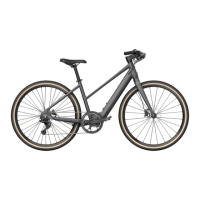
1.4 Function DESC
5
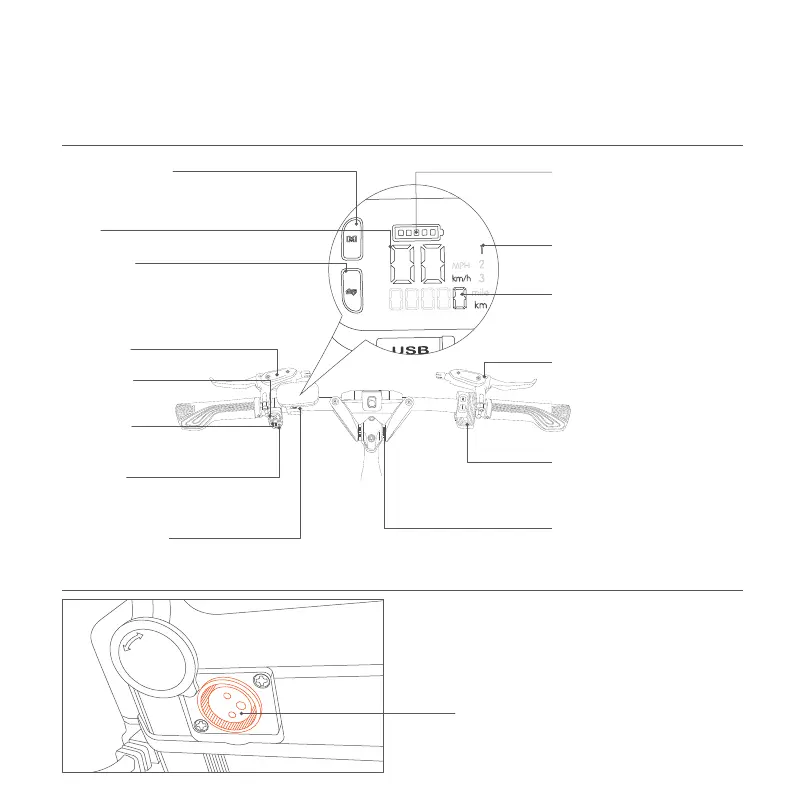
Handlebar
Battery
ChargingPort
(Insert the Fiido charger ONLY)
Front Brake
(The left side is front brake)
(Click to turn on/off
the front light)
(The right side is rear brake)
(Open/close to adjust the handlebar)
(For emergency charge ONLY)
Rear Brake
(Gently press down the button to
switch to the pure electric mode, the
stonger the press,the faster the speed)
Electric mode button
Quick Release
USB Charging Port
(In case of overtaking, road section affecting
safety visibility or emergency, slow down and
ring the bell for signal)
Bell Button
Light Button
(When you make any turn, press the key in the
corresponding direction to remind.)
Signal Light
(Display remaining power)
Battery Status
(Display the current gear)
Gear
(Display the current range by default,
Double-click the Instrument Power button
to switch the total historical mileage display)
Range
(Display the current speed)
① Click to switch the gear and PAS 0, a total of 3 gears
② Double-click to switch KMH/MPH display.
③ Long press for 3 seconds, when the speed display
enters the flashing state, the cruise control function
can be started.
Gear button
Instrument Power
① Long press for more than 3 sec:turn on/off the
power mode.
② Double-click to display the total historical mileage.
Speed


 To Next Page