11
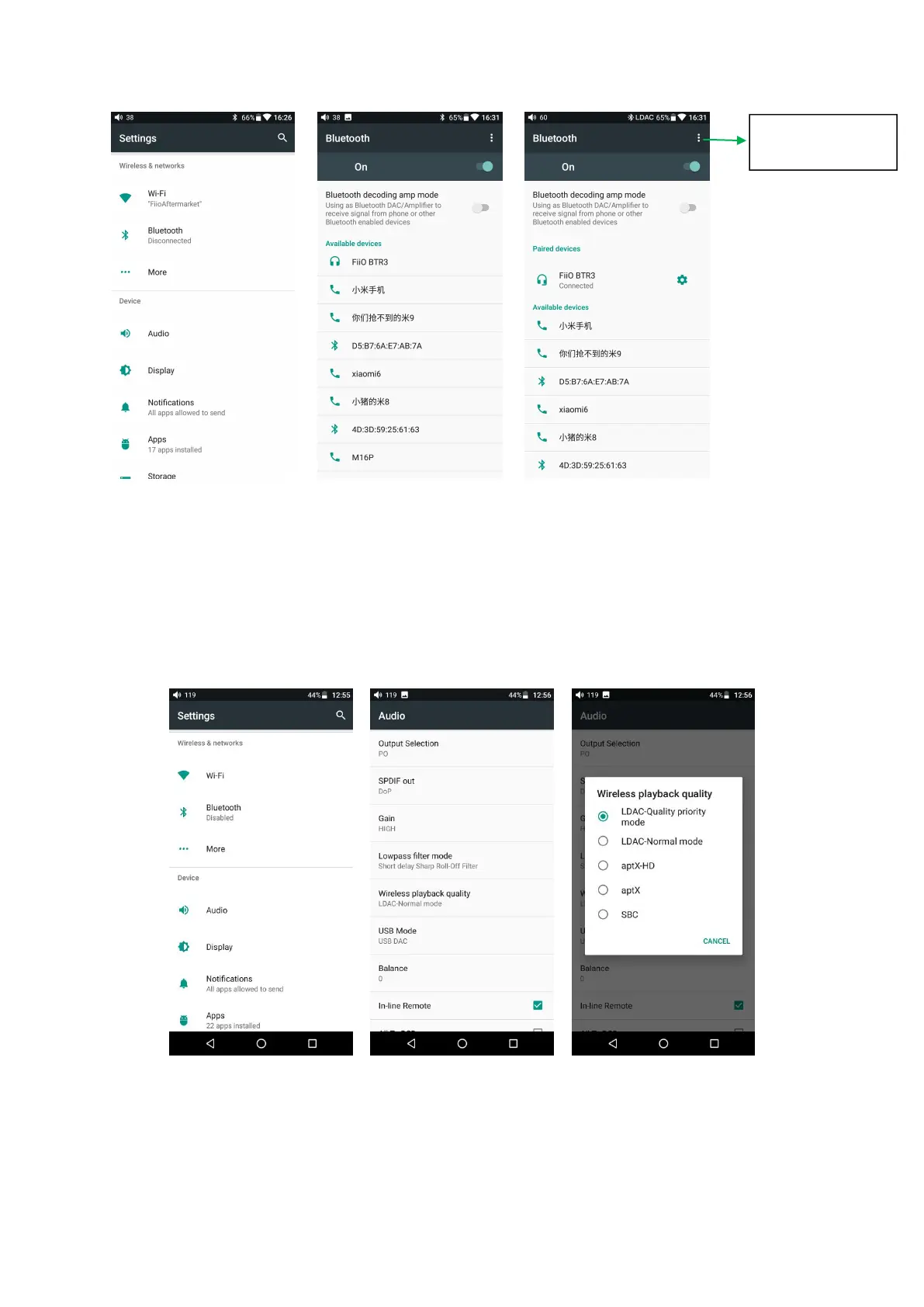
Before you connect to Bluetooth, you can select the Bluetooth audio code which
you want to use as follows:
1) Enter the Settings-Audio settings interface;
2) Click on the Wireless Play, select the one you want to use, then disconnect the
current connection and connect with your Bluetooth device again.
Note:
1. If you have already connected one Bluetooth device, it is necessary to disconnect
Refresh to search
Bluetooth



 To Next Page