31
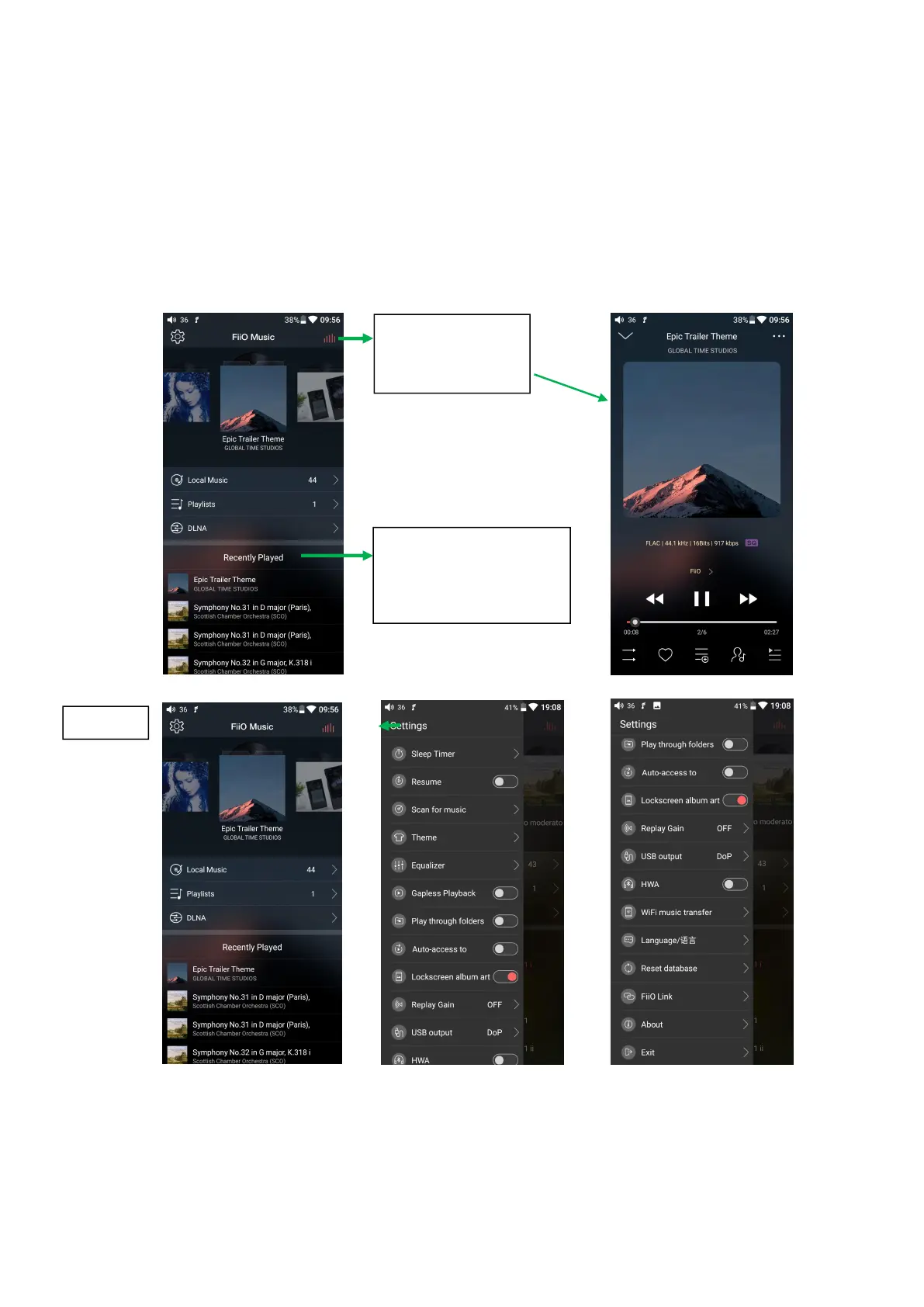
Tap to jump to
the now playing
page
Tap to switch among
Recently Played, Most
Played and Recently
Added
Setting icon: press the icon to enter the setting page;
Playing interface: press the icon to enter the playing interface;
Recently played: a list of recently played songs is presented chronologically;
Frequently played: a list of songs is presented according to frequency of playing;
Recently added: a list of recently added songs is presented chronologically;
2、Quickly locate all the songs



 To Next Page