36
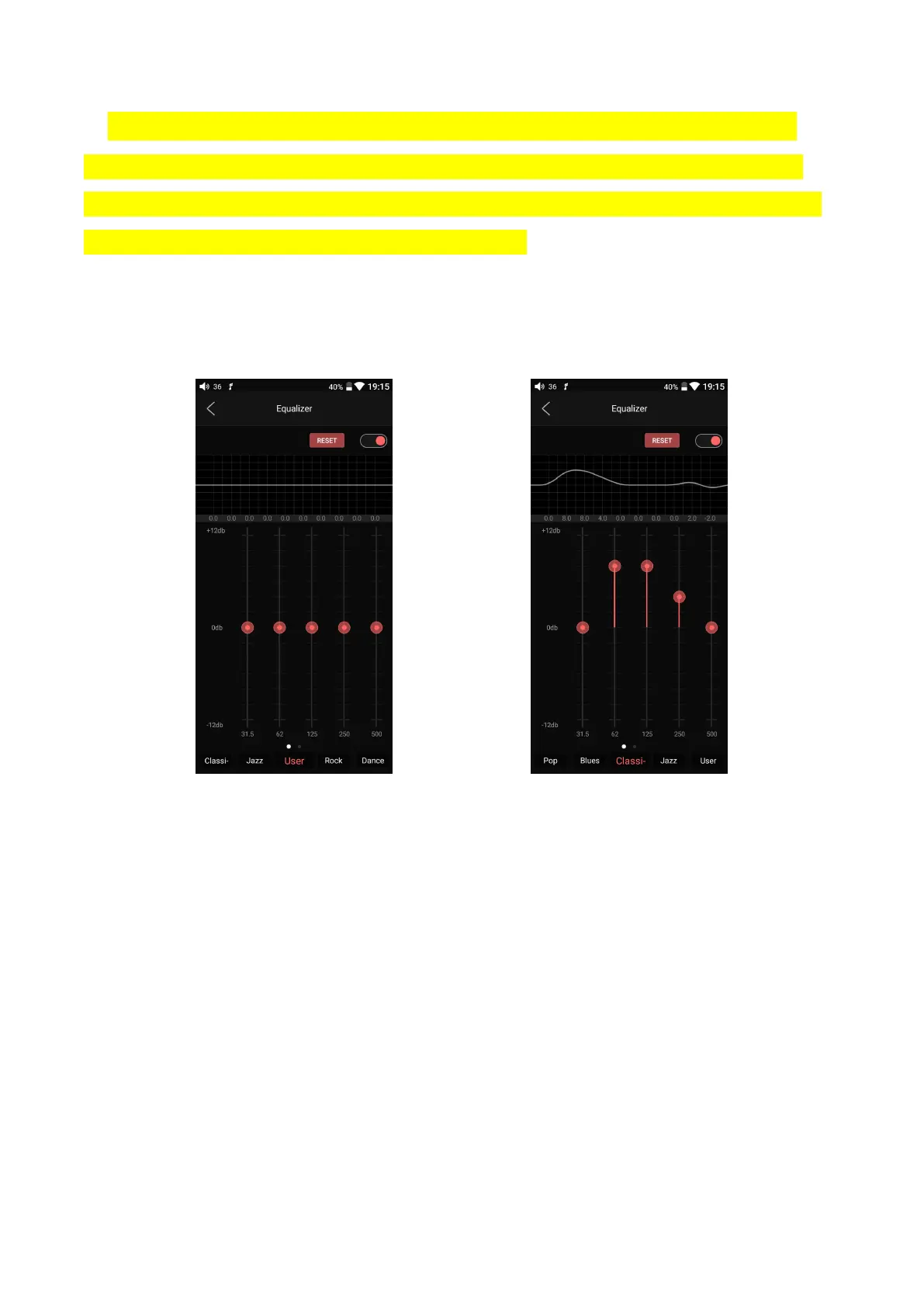
2) Customize EQ: after switching to the customized EQ, drag the corresponding
frequency icon up and down to slightly adjust the EQ curve (swipe left or right to
change pages in the frequency point area); change the frequency points you want to
adjust in turn, and EQ takes effect simultaneously;
3) Reset EQ: Tap the reset button at the upper right corner to reset the present EQ
preset to its genre default.
Note: if a factory reset is performed on the M11 Pro, all EQ settings will be reset to defaults.



 To Previous Page