24
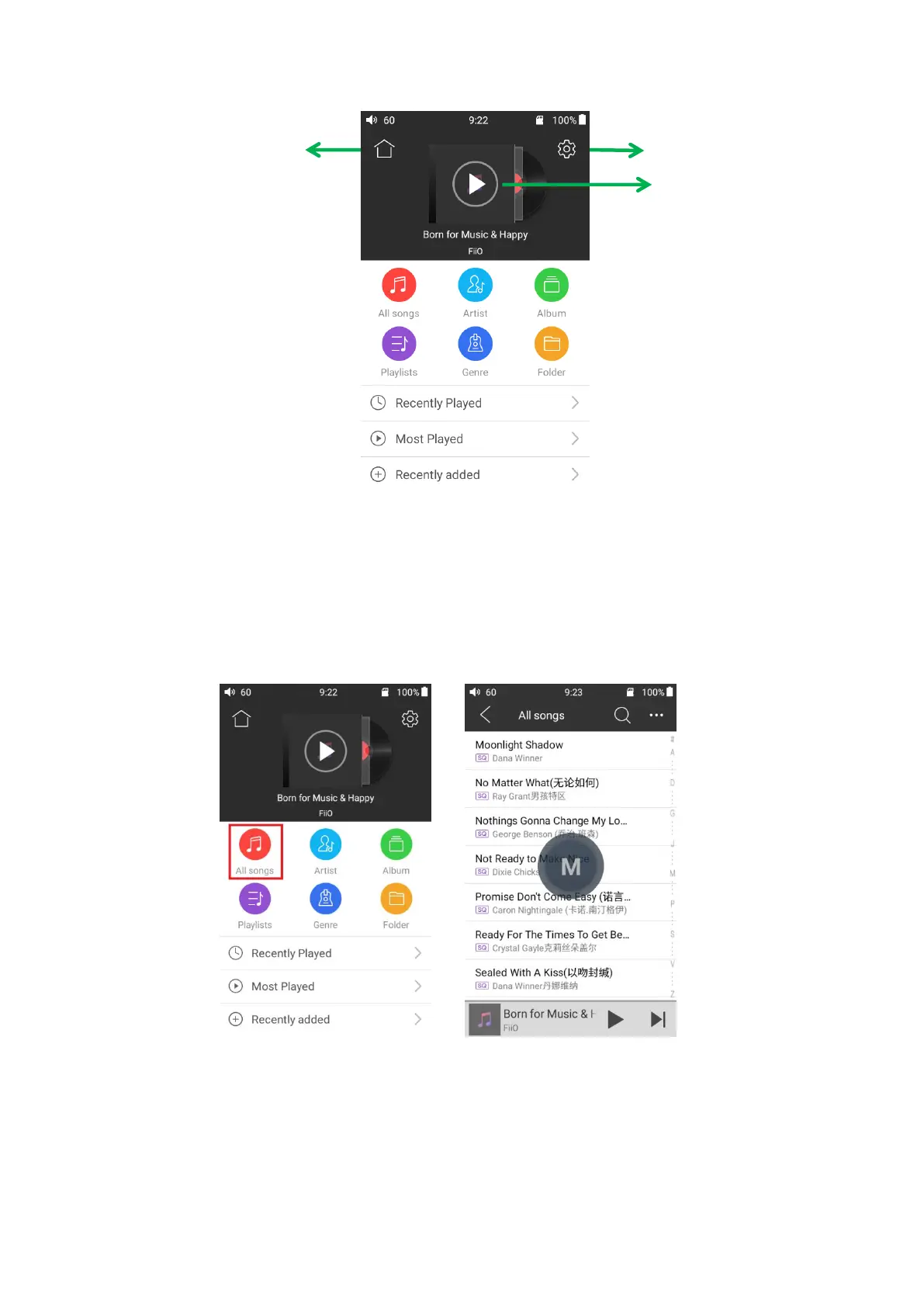
Back the Main menu inferface
Tap the icon to jump to
playing page
2. Quickly locate all music
When the list is ordered by alphabet (tap the blue circle to the lower right and select the “A-
>Z” option), you can slide your finger over the alphabet list to the right of the screen and quickly
jump to the part of the list that starts with the selected letter.
3. Gestures
Sliding your finger from right to left over a list item to enable the shortcuts menu and tap on
the icons to perform the operations.



 To Next Page