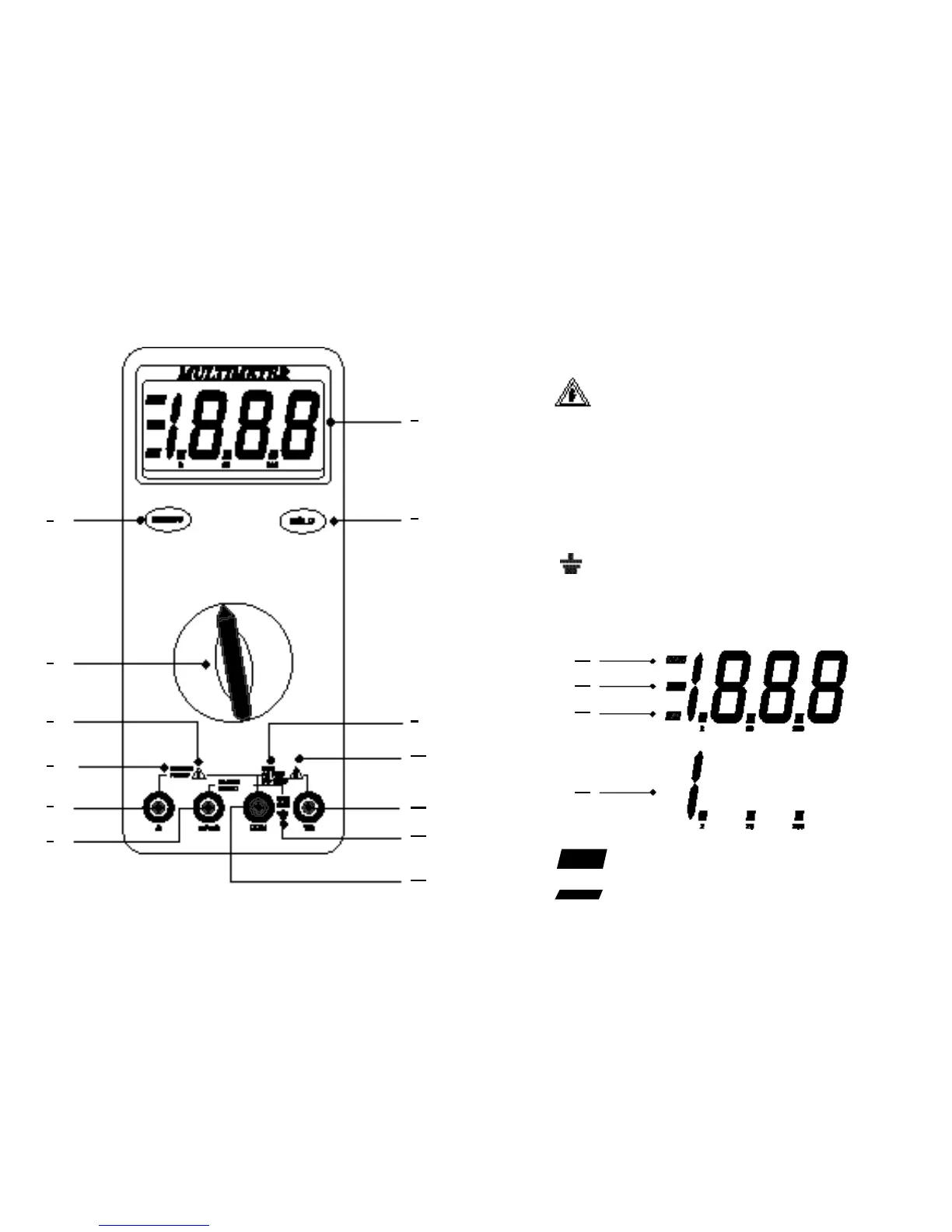
9 –
. The maximum voltage that this Meter can measure
is 1000V DC or 750V AC RMS.
10 – . Be extremely careful when making high-voltage
measurement; DO NOT TOUCH TERMINALS OR TEST LEAD
PROBE ENDS.
11 –
VΩ
(Volt, Ohms, Diode Test Input Terminal).
The red test lead is plugged into this terminal for all AC V, DC V,
Ohms, Continuity test and Diode test functions.
12 – . To avoid electrical shock or instrument damage, do not
connect the COM input terminal to any source of more
than 600V with respect to earth/ground.
13 –
COM
(Common Terminal). The black test lead is plugged into
this terminal for all measurements.
14 –
HOLD
. Displayed when the HOLD button has been pressed.
15 – (Negative Polarity). Automatically indicate negative
inputs.
6 7
MAX
AC 750V
DC 1000V
MAX
600V
2
1
3
9
11
10
12
13
4
6
5
7
8
14
15
16
17



 To Next Page