EasyManua.ls Logo

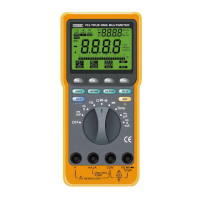
Finest 509 - User Manual

Default Icon
29 pages
Print Icon
To Next Page IconTo Next Page
Loading...
FINE INSTRUMENTS CORPORATION
341-5, SONGNAE-DONG, SOSA-GU, BUCHON-SHI, KYUNGGI, KOREA
-TEL:(82-32) 656-8771~4 -FAX:(82-32) 656-5844
-E-mail:finest @ktnet.co.kr
© Copyright 1999 Fine Instruments Corp. All right reserved.
Specifications subject to change without notice.
Litho in Korea.
a world leader in test & measurement
509
509THD
TRUE-RMS MULTIMETER
WITH RS-232C
Please read before using this equipment.
USER’S MANUAL
Question and Answer IconNeed help?

Do you have a question about the Finest 509 and is the answer not in the manual?

Summary

Introduction and Safety

Introduction

Overview of the multimeter and its design standards.

Safety Considerations

Essential safety information and international symbols for hazard identification.

Controls and Indicators

Display and Bar Graph

Explains the 4000-count digital display, bar graph, and status symbols.

Operating Buttons and Modes

Details functions of buttons like HOLD, REC, REL, COMPARE, EDIT, RANGE, DC/AC.

Special Measurement Functions and Indicators

Describes THD, Continuity, Diode test, and indicators like AT, O.F.L, LOW BATTERY.

Input Terminals

Describes the function and use of various input terminals.

Measurement Procedures

Measuring Voltage

Step-by-step guides for measuring DC and AC voltages.

Measuring Resistance and Continuity

Instructions for resistance and continuity testing.

Measuring Current, Frequency, and Capacitance

Procedures for current, frequency, and capacitance measurements.

Measuring Temperature

Steps and techniques for accurate temperature measurements.

Advanced Features and Specifications

RS-232 C Interface and PC Connectivity

Connecting the meter to a PC for data transfer and control.

Maintenance and Replaceable Parts

Instructions for battery replacement, fuse testing, and general maintenance.

Technical Specifications

Detailed specifications including accuracy, maximum inputs, and general parameters.

Summary

Introduction and Safety

Introduction

Overview of the multimeter and its design standards.

Safety Considerations

Essential safety information and international symbols for hazard identification.

Controls and Indicators

Display and Bar Graph

Explains the 4000-count digital display, bar graph, and status symbols.

Operating Buttons and Modes

Details functions of buttons like HOLD, REC, REL, COMPARE, EDIT, RANGE, DC/AC.

Special Measurement Functions and Indicators

Describes THD, Continuity, Diode test, and indicators like AT, O.F.L, LOW BATTERY.

Input Terminals

Describes the function and use of various input terminals.

Measurement Procedures

Measuring Voltage

Step-by-step guides for measuring DC and AC voltages.

Measuring Resistance and Continuity

Instructions for resistance and continuity testing.

Measuring Current, Frequency, and Capacitance

Procedures for current, frequency, and capacitance measurements.

Measuring Temperature

Steps and techniques for accurate temperature measurements.

Advanced Features and Specifications

RS-232 C Interface and PC Connectivity

Connecting the meter to a PC for data transfer and control.

Maintenance and Replaceable Parts

Instructions for battery replacement, fuse testing, and general maintenance.

Technical Specifications

Detailed specifications including accuracy, maximum inputs, and general parameters.

Finest 509 Specifications

General IconGeneral
BrandFinest
Model509
CategoryMultimeter
LanguageEnglish

Related product manuals