• FILE MENU usage:
MEASUREMENT. Displays STOP MEASUREMENT on the pull
down menu; pressing <ESC> enables the Meter to
s
tart to
measure, when the pull down menu disappears.
STOP MEASUREMENT. Enables the Meter to stop
measurements and the initial picture appears aga
i
n, when the
pull down menu will be disappeared by pressing <ESC>. DATA
VIEW. Shows the measured date; EMPTY DATA! is displayed if
there are no data.
DATA PRINT. Prints the data displayed in DATA VIEW; EMPTY
DATA! is displa
y
ed if there are no data; PRINTER IS NOT
READY! is displayed when the computer is not connected to a
printer. Then, immediately press <ESC> to exit DATA P
R
INT.
Otherwise, the picture on the screen may be damaged.
GRAPH DISPLAY. Select Graph Scale to draw the graph with
the data and the press <ESC> to autosave the graph on
SCREEN . PCX; If GRAPH DISPLAY will be selected after
having entered in the other measurement mode, the previous
SCREEN .PCX will be overwritten; EMPTY DATA! is displayed if
there are no data.
CONFIGURATION.
COMMUNICATION PORT : Select 1 or 2
PRINT PORT : Select 1 or 2
SAMPLING TIME : Select any rate more
than 1 sec.
EXIT : SAVE→ < ENTER>
→EXIT of the FILE MENU
enables the program to rerun.
40 41
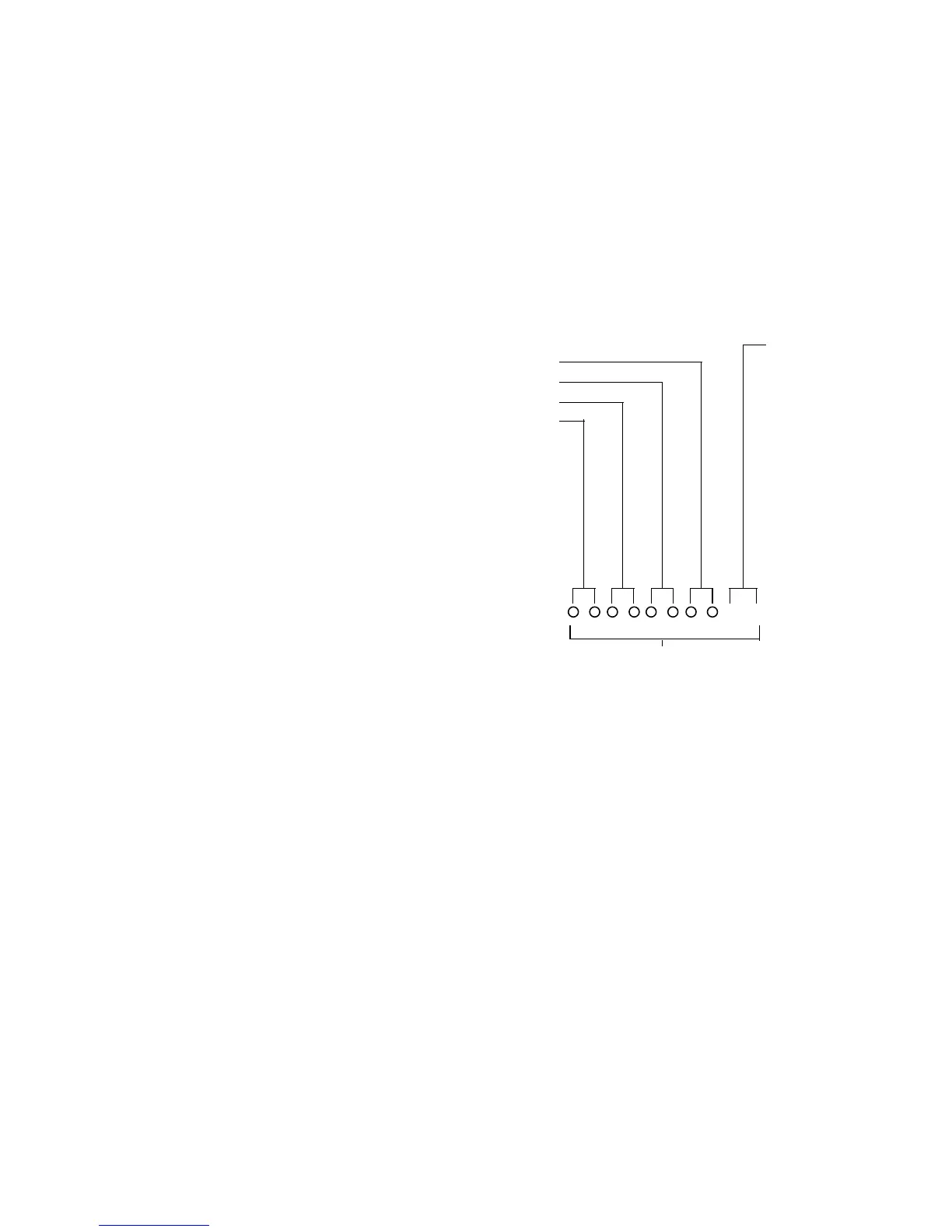
• FILE SPECIFICATION
5.3 Designing Your Own Software
You need the following information if you are designing your own
software for the RS-232C interface.
5.3.1 Communication Parameters
• Transmission rate
: 4800 Baud
• Data Bit : 8
• Stop Bit : 1
• Parity : None
µA : MICRO AMPERES MODE
MA : MILLI AMPERES MODE
A : 10 AMPERES MODE
MV : MILLI VOLTS MODE
V
:
VOLTS MODE
OHM : OHM MODE
BEP : BEEP MODE
DIO : DIODE MODE
TEC : °C MODE
TEF : °F MODE
CAP : CAPACITANCE MODE
FRE : FREQUENCY MODE
EXTENTION
MINUTE
MONTH
HOUR
DATE
FILE NAME



 To Next Page