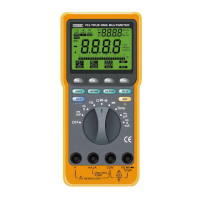
Press the RANGE button to select the Manual Range mode
and turn off the “AT” symbol. (The meter remain
s
in the
range it was when manual ranging was selected.)
Each time you press the RANGE button in the Manual
Range mode, the range increases and a new value is
displayed. If you are already in the highest range, the meter
wraps around to the lowest range. To exit the Manual Range
mode and return to autoranging, press and hold down the
RANGE button for 2 seconds. The “AT” symbol turns back
on. When the range is changed manually, the Recording,
Percentage (%), Compare, Relative and Hold mode
s
are
disabled.
Press the HI/LO button to enable the Meter to edit and store
the HI (high) reference value or the LO (low) reference value
by toggling between the 2 reference values when the Meter
is in the Compare mode.
Press the HI/LO (RANGE) button to recall the stored
reference value in the Compare, Relative or Percentage
mode.
⑧ . (Maximum, Minimum and Average Recording; A
Left-Shift button when the Meter is in the Editing mode).
Press the REC button to enter the Recording mode. The “ R ”
symbol turn
s
on. This function allows you to record
Maximum, Minimum and Average values for a series of
measurements on the same function and range.
This Meter will beep every time a new maximum or minimum
value is recorded. Press the REC button to scroll through the
stored MAX, MIN and AVG value
s
. When an overload is
captured, a beeper tone emits and the Meter displays
OFL(overload). This Meter can only record for 24 hours in
this mode.
When this Meter entered the Recordings mode, Auto Power
Off is d
i
s
abled and this Meter will automat
i
c
ally switch to
Standby Mode after around 1 hour to save battery life unless
you disabled the Standby Mode. To disable the Standby
Mode, turn the rotary switch from OFF to any function (ON)
position while holding down the HOLD button.
If you press any ineffective button to the Recording mode,
the Meter will sound 2 consecutive beeps to let you know
that the button function does not work in the Recording
mode.
To exit this mode and erase re
c
orded readings, hold the
REC button down for 2 seconds.
Press the arrow (
←
) button to shift the blinking number
position to the left by 1 decimal point when the Meter is in
the Editing mode. When the blinking number is at the very
left, the number will stay at the same position even if
y
ou
press the arrow (
←
) button.
⑨ . (Relative Readings in the Relative mode; A Right-
shift button when the Meter is in the Editing mode). In the
Relative mode, this Meter disp
l
ays the differen
c
e between
the stored reference value and the measured reading value.
Press the REL button to enter the Relative mode. The “REL”
symbol will come on the LCD and the bar graph pointer will
be at the center of the scale.
Press the EDIT button to program the reference value. Using
the arrow (
↑
,
↓
,
→
, and
←
) buttons, enter the value you
want the readings displayed in relation to. Once the value is
entered, press the EDIT button to exit the Editing mode. To
recall the stored value, press the HI/LO (RANGE) button.
8 9


 To Next Page
 Loading...