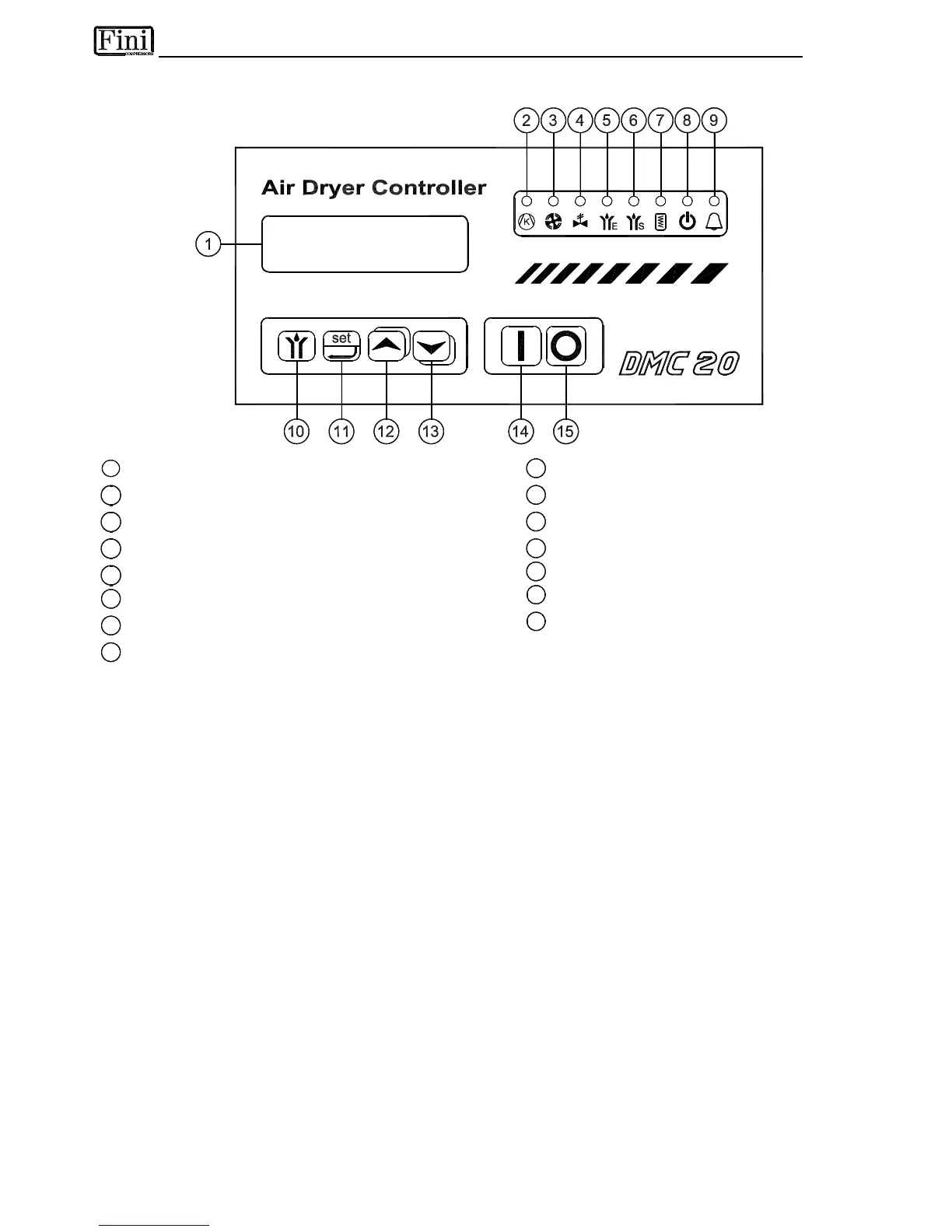
The DMC20 controls all the operations, the alarms and the operational setting of the dryer. By means of a
32-character display it shows all the operating conditions. In case of abnormalities, a set of messages in the
selected language allows a fast detection of the fault and the relevant solution.
5.17.1 DISPLAY MESSAGES
When the main switch is turned ON, all the characters of the DMC20 display are activated for 2 seconds.
Afterwards, the software release appears, and finally the two lines of the display are ready for their normal
functions.
When the dryer is in stand-by condition, the display shows "Stand-by", and the "crankcase oil heater" and
"Stand-by" leds are ON. If the remote command is in use, the display shows "Stand-by Remote".
To switch ON the dryer, keep the button [14] "Dryer Start-up" pressed for at least 2 seconds. NOTE :
DMC20 has an internal timer that cannot allow to restart the compressor before 4 minutes after the
switch off. The upper line of the display will show the DewPoint. The following parameters can be selected
and displayed on the lower line:
Air →O
- temperature of the incoming air in °C
Air ←O
- temperature of the outgoing air °C
Compr.LP - suction temperature of the compressor (low pressure side) in °C
Compr.HP - discharge temperature of the compressor (high pressure side) in °C
Condens. - condensing temperature in °C
Ambient - ambient temperature in °C
Water →O
- inlet temperature of the cooling water (Water-Cooled) in °C
Working - operating time of the dryer in hours
The parameter to be displayed on the lower line is selected pressing the [12] or [13] keys.
In alarm condition, the list of the parameters to be displayed will include the DewPoint.
To switch OFF the dryer, keep the [15] button "Dryer Stop" pressed for at least 2 seconds.



 To Next Page