

EasyManua.ls Logo

Fire King SHERLOCK - User Manual

Fire King SHERLOCK
22 pages
Print Icon
To Next Page IconTo Next Page
Loading...
OPERATOR’S MANUAL
21
The smartest safe lock in the business.
Fire King
SECURITY PRODUCTS
FOR THE 21ST CENTURY
®
The smartest safe lock in the business.
OPERATOR’S MANUAL
FOR THE
SHERLOCK KEYED ENTRY
ELECTRONIC LOCK SYSTEM
© 2002 Fire King Security Products, LLC.
Sherlock™ is a trademark of Fire King International Inc.,
101 Security Parkway, New Albany IN 47150
Phone 812-948-8400 Fax 812-948-0437
REV 073102
P/N 800530
Question and Answer IconNeed help?

Do you have a question about the Fire King SHERLOCK and is the answer not in the manual?

Summary

Introduction to Sherlock Lock System

Scope of the Document

Outlines the manual's coverage of Sherlock electronic lock operation.

Sherlock Lock Overview

General description of the Sherlock lock system components and functionality.

Sherlock Lock Applications

Details the intended uses and benefits of the Sherlock lock system.

Sherlock Lock Features

Audit Trail Functionality

Describes the 2000-line record of operational history.

Time Delay Feature

Explains the purpose and operation of the inner door time delay.

Timelock Functionality

System Clock Functionality

Sherlock User Roles

Employee User Details

Defines permissions for Employee keys (Users 01-27).

Store Manager User Role

Outlines the Store Manager's key permissions and responsibilities.

Area Manager User Role

Details Area Manager's key permissions for system changes and enrollment.

Owner;Super User Role

Describes Owner key's high-level permissions, including inner door delay.

Audit User Role

Explains the Audit key's limited permissions for viewing data.

Armor Car User Role

Details Armor Car key's ability to override timelock/delay.

System Event Logging

Explains how system events are logged under User 40.

Employee Key Count

Describes how to check assigned user numbers for keys.

Positive User Identification

External Power Supply

Display Module Description

Lock Module Description

Sherlock Lock Operation

Sherlock Idle Screens

Describes "System Ready" and "Timelocked" idle status displays.

Changing Your PIN Code

Step-by-step instructions for users to change their PIN.

Opening Safe Doors

Opening the Outer Door

Details the procedure for opening the outer safe door.

Opening the Inner Door

Armor Car Access Procedure

Managing Keys and Users

Deleting a Key or User

Instructions for managers to delete keys and user assignments.

Adding Employee Keys

Adding Area Manager or Higher Level Keys

Checking Employee Key Count

Adjusting Daylight Savings Time

Setting the System Clock

Setting Inner Door Delay and Access Time

Setting Timelock Schedules

Viewing the Audit Trail

Printing Data from Sherlock

Service and Troubleshooting

Troubleshooting Common Issues

Lists common problems, causes, and corrective actions for the lock system.

Preventative Maintenance

Recommendations for cleaning and maintaining lock system components.

Sherlock Product Warranty

Warranty Void Conditions

Lists actions or conditions that invalidate the product warranty.

Warranty Duration

Specifies the length of the warranty period for Sherlock electronics.

Obtaining Warranty Service

Service for Fire King Safes

Instructions for warranty service for Fire King branded safes.

Service for Other Safe Brands

Guidance on warranty service for safes from other manufacturers.

Service Outside the USA

Advice for obtaining warranty assistance outside the USA.
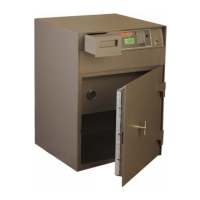
Fire King SHERLOCK Specifications

General IconGeneral
BrandFire King
ModelSHERLOCK
CategoryLocks
LanguageEnglish