OPERATOR’S MANUAL
3
The smartest safe lock in the business.
2.5.3 Area Manager
The Area Manager key (User 30) cannot open safe doors, but can view or print audit and key data, change
clock and timelock settings, and may enroll or delete other keys. This key is purchased as an Area Manager
Key and is self enrolling with verification from an enrolled employee key.
2.5.4 Owner/Super
The Owner key (User 31), sometimes called a “super” key, has the same permissions as the Area Manager
with the additional ability to change the inner door delay. This key is normally retained by the company
security manager. This key is purchased as an Owner (Super) Key and may be enrolled by an Area Manager
key.
2.5.5 Audit
The Audit key (User 32) has only the ability to view or print audit and key data and view timelock settings.
This key is purchased as an Audit Key and may be enrolled by an Area Manager or Owner key.
2.5.6 Armor Car
The Armor Car key (User 33) has the unique ability to override time delay and timelock. Whenever the Armor
Car key logs in, an Employee key or Store Manager key must immediately log in to open the doors. This
allows nearly instant access to the Armor Car carrier while still making a specific user responsible for allowing
the armor car carrier to make the pickup. Armor Car may not perform any other function. This key is pur-
chased as an Armor Car Key and may be enrolled by an Area Manager or Owner key.
2.5.7 System
Certain events logged in the audit trail cannot be assigned to a specific user, such as a time locked and time
unlocked. These entries will appear in the audit trail assigned to User 40, or System.
2.5.8 Employee Key Count
Users 29 to 32 may check the key count to see what user numbers are currently assigned to keys. A user
number that has been enrolled with a key is marked “Y” while unused user numbers marked with a “N.” It
should be noted that enrolling a key to a position already taken will cause the old key to be automatically
deleted from the system (replaced by the new key). Note that user numbers 31 and above will not appear.
2.6 POSITIVE USER IDENTIFICATION
PIN numbers are used to verify keys. Each user’s PIN is four digits long and must be entered whenever the
key is presented. Any user may change their own PIN at any time. Note: if the Owner’s PIN is ever lost,
contact Fire King Security Products Technical Service for assistance. If an incorrect PIN is entered 5 times
consecutively, the unit will go into a 10 minute penalty period where no keypad or key input is accepted. This
prevents continuously attempting different PIN numbers until finding one that works.
2.7 EXTERNAL POWER SUPPLY
Internal circuitry is powered by an external 5 to 12 V
DC/AC
supply. A standard 120 V
AC
adapter (North America
only) with 9 V
DC
output is provided with your safe. Outside North America, your dealer can provide you with
the proper power supply adapter. The power supply is external to the safe so that if it ever fails, the power
supply can be serviced or replaced without entering the safe.
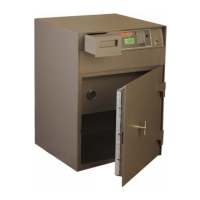
2.8 DISPLAY MODULE
The display module (outer board) provides an LCD display and a standard numeric keypad with soft touch
membrane, key port, and RJ11 data port for printer output. A speaker is provided to signal the user when
certain action is required, certain events are complete, or when some other special condition exists.
2.9 LOCK MODULE
A small circuit board mounted inside the protected interior of the safe communicates with the display module
via internal cable. This inner board stores encrypted key and PIN data. It also energizes the electronic locks
when conditions are met.


 To Next Page