12
Part Number 18166, G, 01/11/2022
Changing the Number of Zones Continued
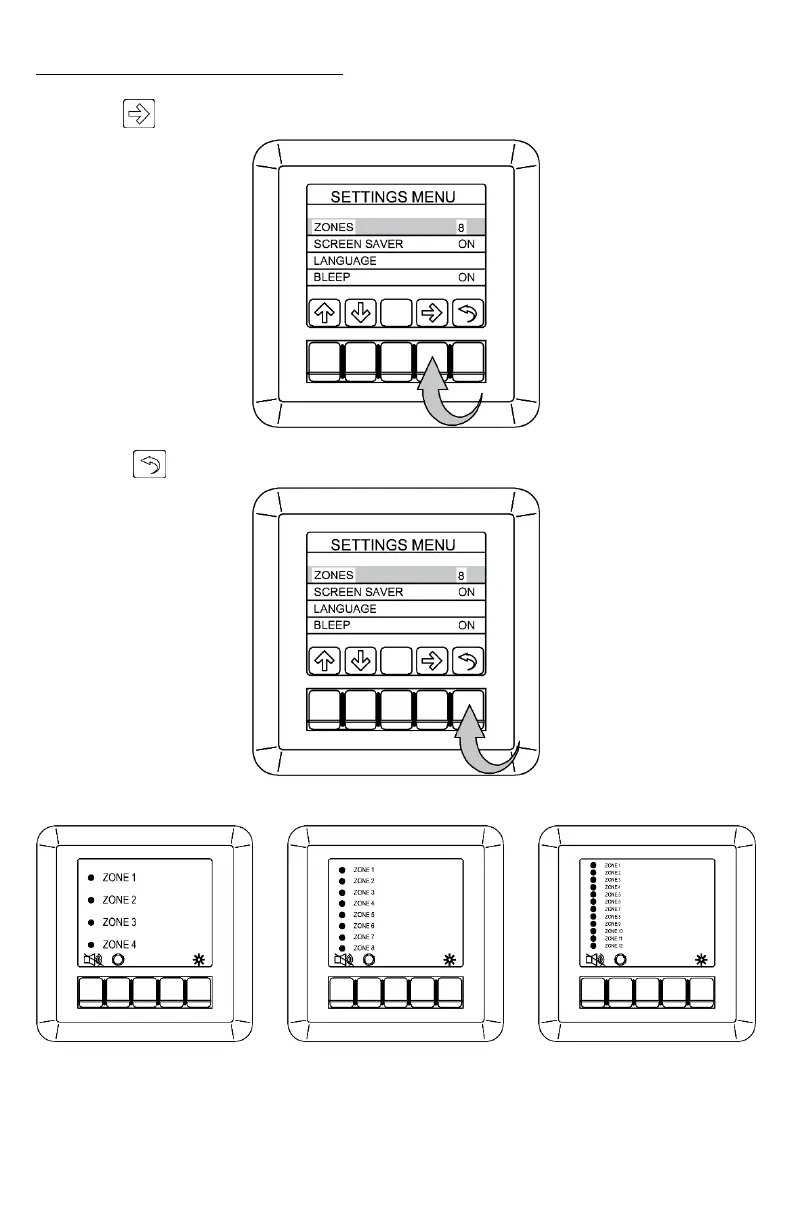
Use the “ ” button to cycle through the available number of zones to display.
Press the “ ” button twice to exit the menus once you have chosen the number of zones.
The text size will be scaled to best fit the Display depending on the number of zones.



 To Next Page