14
Part Number 18166, G, 01/11/2022
Enabling the Screensaver Continued
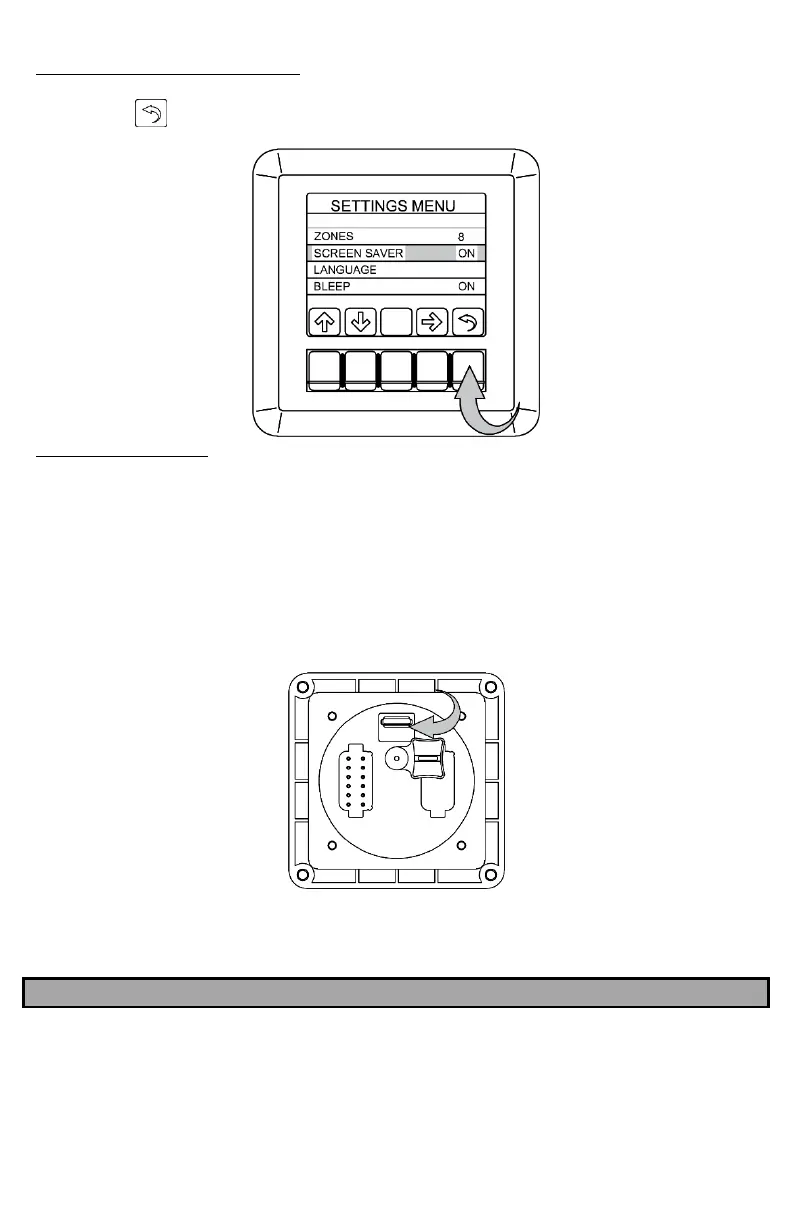
Press the “ ” button twice to exit the menus once you have chosen the number of zones
Changing the Zone Text
1. Backup the files stored on the provided USB drive to your computer.
“usbstick_zones_update.ars”
“zones.txt”
2. Open the file named “zones.txt” and edit each of the lines that are required to be
changed. Keep the zone names as short as possible to be sure that they will fit on the
Display.
3. Save the file, both on the USB drive and in the backup location.
4. With the Display powered, insert the USB drive into the port on the back of the Display.
5. The Display will reboot once it has been updated.
6. Remove the USB drive.
NOTE
IF THE PROVIDED USB IS NO LONGER AVAILABLE TO YOU, A USB DRIVE FORMATTED TO FAT32
(SANDISK WORKS BEST) CAN BE USED WITH YOUR BACKED-UP FILES.



 To Next Page