TXT
Discovery Set
ROBOTICS
36
Task 1: "There, he has the ball and shoots . . ."
The first step is to teach the electronic ball wizard to shoot the ball
as soon as it is detected by the light barrier. Experiment a little
with the "shooting speed." A short pause between "detection"
and "shooting" may possibly lead to an improvement.
Programming Tips:
For this task it is first necessary to connect the TXT Control to your PC
using the USB cable.
As with the hand dryer you should wait a few seconds after the
lenstiplamp switches on before checking the phototransistor on the
light barrier.
Being a trainer is not easy. If your robot player does not obey you,
perhaps you can get its attention with our program suggestion.
But since a real ball wizard should be able to do more than just a penalty
shootout, we want to expand the capabilities of our soccer robot a bit.
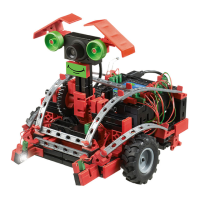
Task 2: Motion control for soccer robot
Now we want to program the soccer robot to react to motions you
make in front of the camera. When you wave with your left hand, it
should move to the left; if you wave with your right hand it should
turn to the right. If you wave with both hands in the middle of the
image, it should move straight ahead. When the light barrier
detects the ball, it should shoot, naturally in to the goal if
possible.
Programming Tips:
Note: For this task it is necessary to connect the TXT Control to your PC
via WLAN or Bluetooth.
Even though this task may sound somewhat difficult initially, you have
already used most of the functions for this program with your other
robots.
Soccer_robot_movement_control_1.rpp


 To Next Page