TXT
Discovery Set
ROBOTICS
37
Use three camera "Motion" sensor fields for control of the motion.
Position one of these in the middle of the camera image, one on the left
and one on the right. Place the camera in front of your monitor where
you can easily reach the three areas in the camera window with your
arms without the sensor fields reacting unintentionally. For this purpose
place the fields preferably in the upper half of the camera surface.
Then simply have your program interrogate the three sensor fields to
determine which of the fields has detected motion and actuate the robot
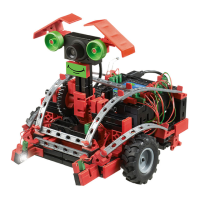
accordingly to move to the left, right or straight ahead. You have already
programmed the shooting mechanism in Task 1. You can integrate this
into your program.
Then start the program in the ROBO Pro online mode. The camera
image is transferred to the PC over the USB interface; the robot control
is wireless via Bluetooth or WLAN.
For this model you only need the goal from the soccer stadium included
with the construction set. You could also use the "side boards" to
keep the ball from rolling away. However they are actually required for
orientation of the robot only after building the next model. And now,
have fun "waving" and shooting goals.
Once again we also have a recommended solution for this
program.
* see also ROBOProHelp, Chap. 11.
Soccer_robot_movement_control_2.rpp


 To Next Page