14
Blend (continued)
Suggestions
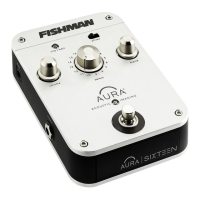
• To fi nd a good mix of Image and pickup, turn the blend knob to
about 8 o’clock, then step on the footswitch. Compare the Image/
pickup mix to the dry pickup signal. Slowly move blend clockwise
and then switch between the two until you are happy with the
Image/pickup blend.
• For live performance try backing off the Image by setting blend to
about 10 or 11 o’clock or about 65% pickup. You won’t need too much
Image blended in to achieve a great live sound. If feedback occurs, fl ip
the phase switch.
• For recording, try blending in more Image for a realistic acoustic tone.
Set the blend to taste. Again, you’ll often get good results with a little
bit of pickup blended in with the Image for clarity and defi nition.


 To Next Page
 Loading...