21
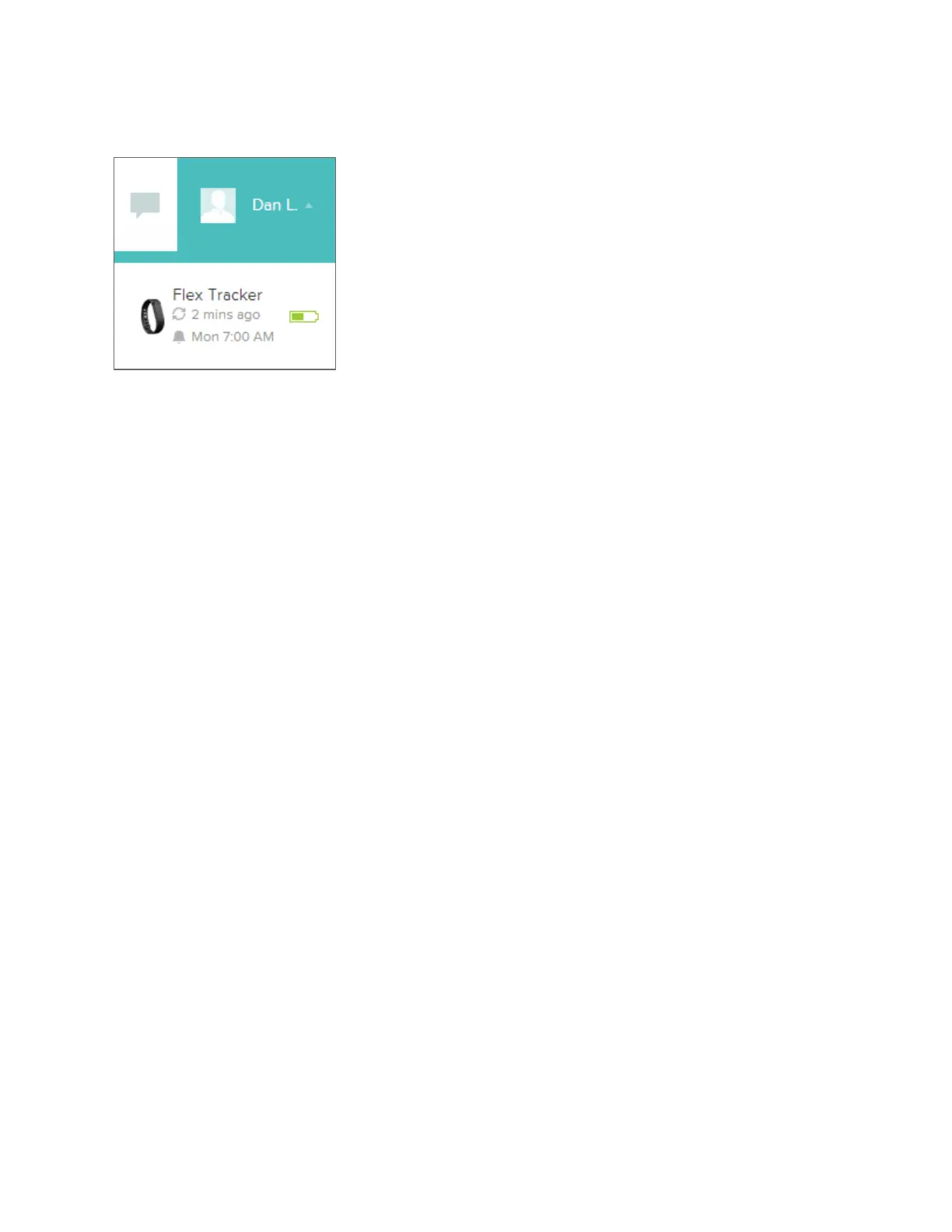
Device Info Preview
You can see a quick preview of your tracker’s last sync, battery level and upcoming
alarms if you click on your Profile Name.
Managing your Flex from Fitbit.com
You can also manage your Flex from Fitbit.com by clicking on your Profile Name in
the top right corner, clicking Account Settings, and choosing Device Settings from
the left sidebar.
The Device Settings screen allows you to change:
Time Zone: This will impact when your tracker data resets, as it will reset at
midnight for whichever time zone the tracker is set to.
Primary Goal: This menu allows you to choose which of the various goals you
want your Flex to display when checking your progress.
On Dominant Hand: This toggle switch allows you to increase tracking
accuracy when wearing the tracker on your dominant hand.
You can also manage Silent Alarms from the Account Settings screen by clicking
Silent Alarms from the left sidebar.









 To Next Page