OPERATIONAL TIPS
..................................................................................................................................................................................................................................
CHARGING THE SYSTEM
The Tablet Controller enables you to operate the FITLIGHT Trainer™. You can program routines, collect
and store data, edit drills and create various exercise programs. The Tablet Controller can also be used to
download data to the FITLIGHT™ Data Management Utility on your computer for further analysis.
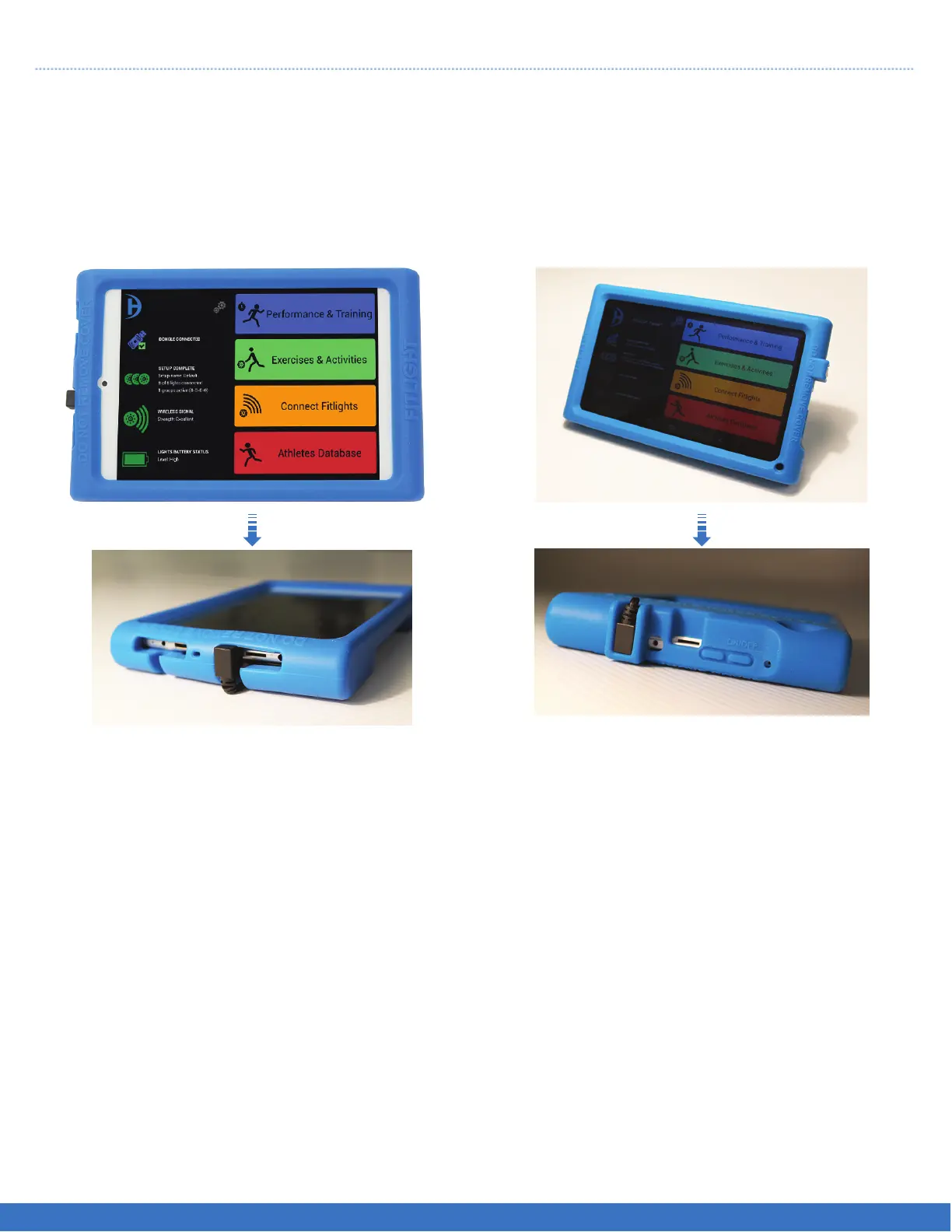
Identify which type of Tablet Controller that you have.
Use the following instructions if your Tablet
Controller looks like this.
1. Power on the Tablet Controller by depressing
the On/Off button for 5 seconds. If done
correctly, you will notice 5 penguin icons at the
top of the screen.
2. On the homepage, touch the FITLIGHT™ icon
to launch the software.
Use the following instructions if your Tablet
Controller looks like this.
1. Power on the Tablet Controller by depressing
the On/Off button.
2. The FITLIGHT™ software will launch
immediately.
14
FITLIGHT Trainer™


 To Next Page