SYSTEM OPERATION - RANDOM TRAINING
..................................................................................................................................................................................................................................
CHARGING THE SYSTEM - RANDOM TRAINING
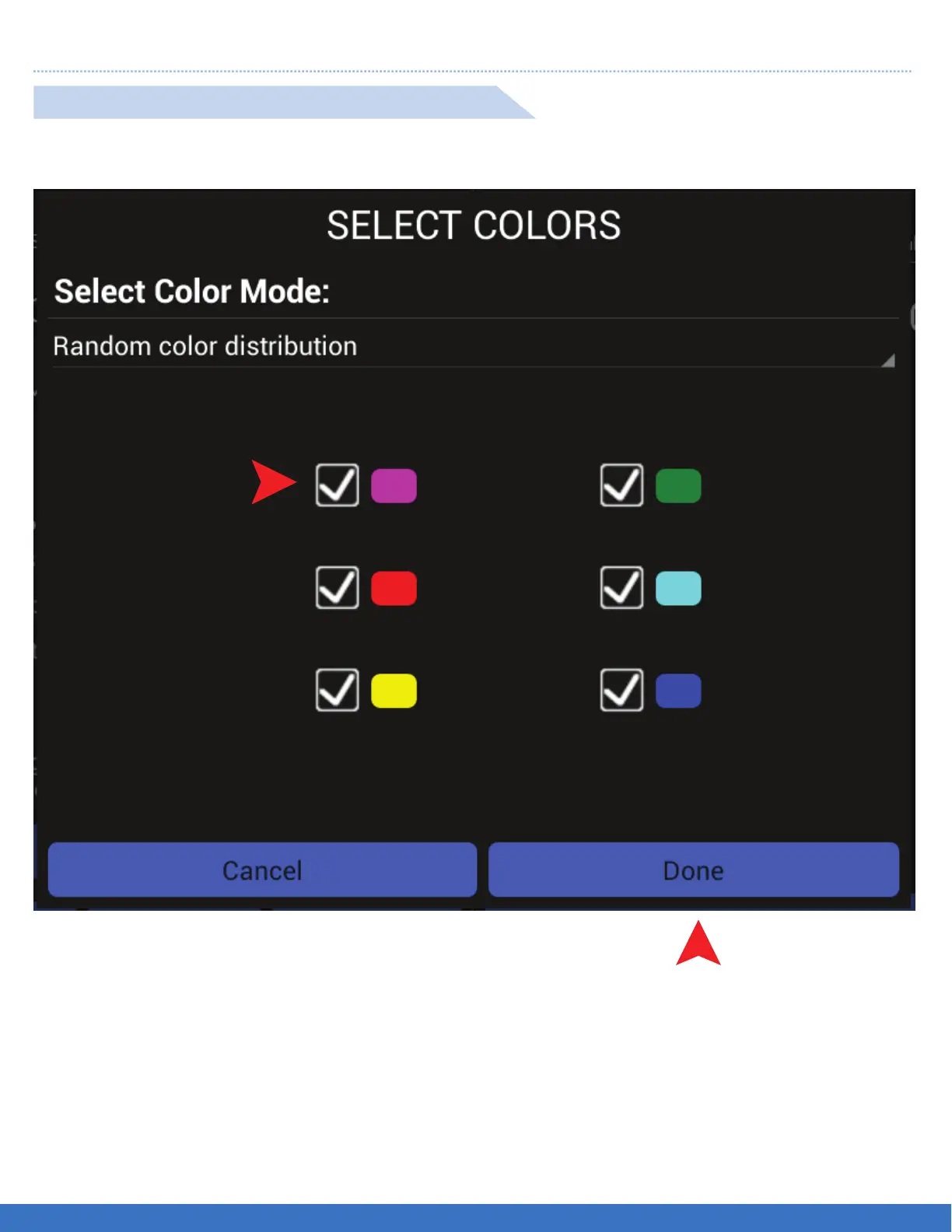
1.Select the Lights clours required for the Routine by ticking the colour boxes.
2. Select “Done” once all colours required are selected.
RANDOM COLOUR DISTRIBUTION SET UP
1
2
FUNCTION: The colours selected will appear randomly during the routine.
20


 To Next Page