SYSTEM OPERATION - RANDOM TRAINING
..................................................................................................................................................................................................................................
CHARGING THE SYSTEM - RANDOM TRAINING
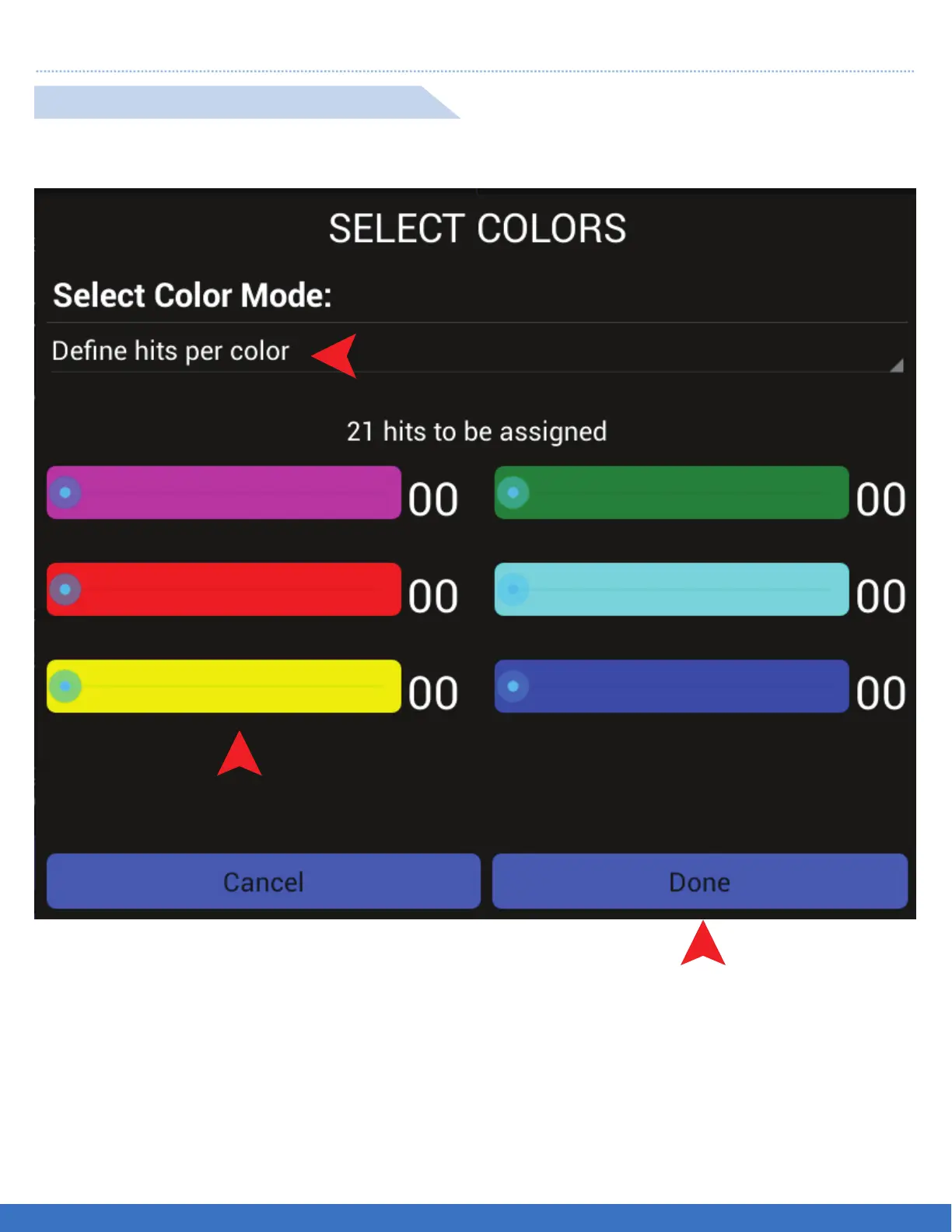
1. Select “Define hits per colour” and a new menu screen will appear for the selection of hits per colour.
2. Select the number of hits per Light by moving the slide bar to the desired number of hits per colour. The
number of hits per colour will be illustrated and the total hits will be deducted from the original set up.
3. Select “Done” once all hits are selected.
DEFINE HITS PER COLOUR SET UP
1
2
3
FUNCTION: The program will randomly select the colours as per the number of hits defined per colour.
21


 To Next Page