SYSTEM OPERATION - FITLIGHT GAME SET UP
SYSTEM OPERATION - FITLIGHT GAME SET UP
..................................................................................................................................................................................................................................
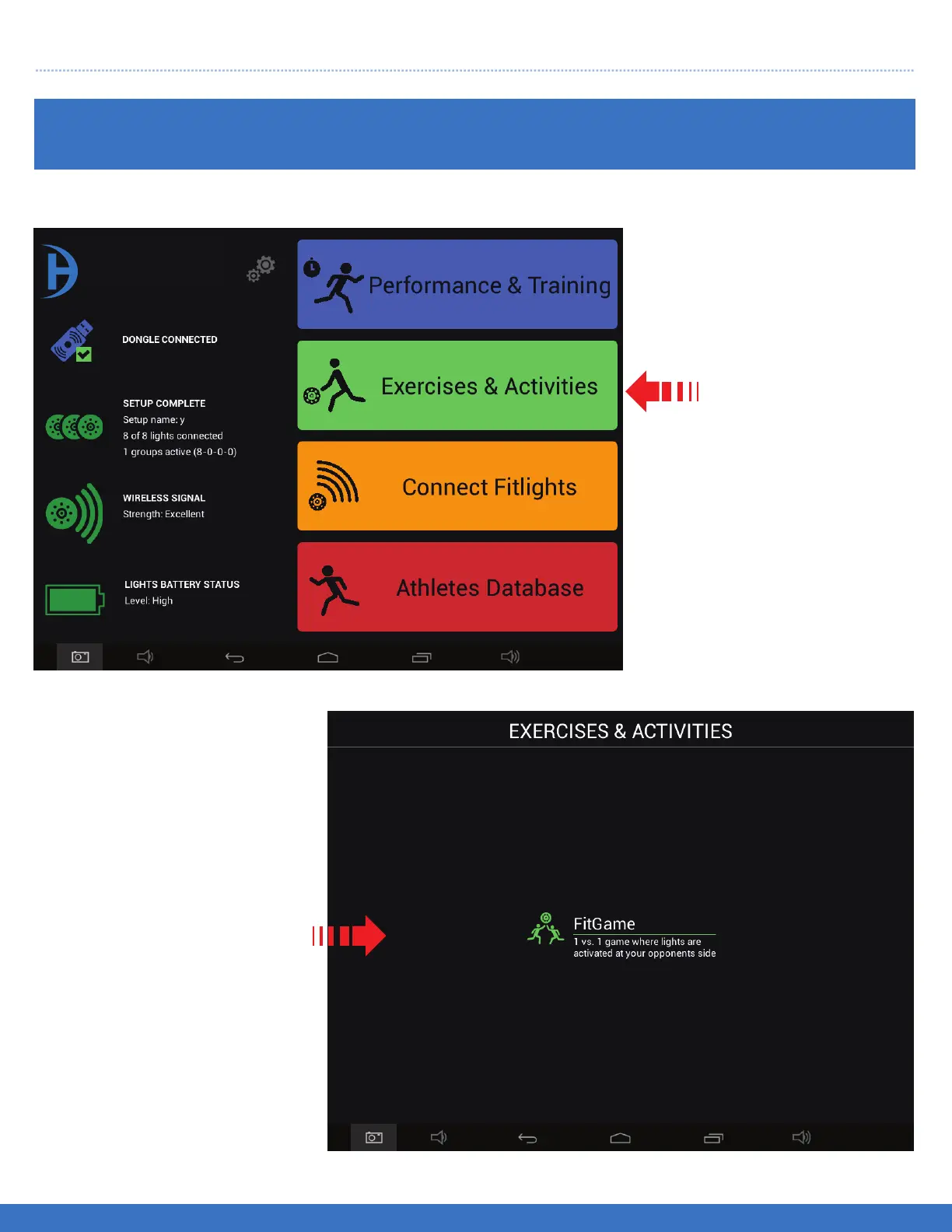
FITLIGHT GAME SET UP
Select
Exercises & Activities
Select
FitGame
41
FITLIGHT Trainer™
1. To remove and replace
an incorrect insertion of a
Light/step,first create a new
step of the correct Light,
adjacent to the light that you
wish to remove or edit.
Once this is done move to
the next part of the edit
process.
2. Touch an hold the Light/-
step that you would like
removed. A pop up menu
appears, select “Yes” and
the step will be removed
and replaced with the new
step executed in the first
step above.


 To Next Page