7
Basic operation
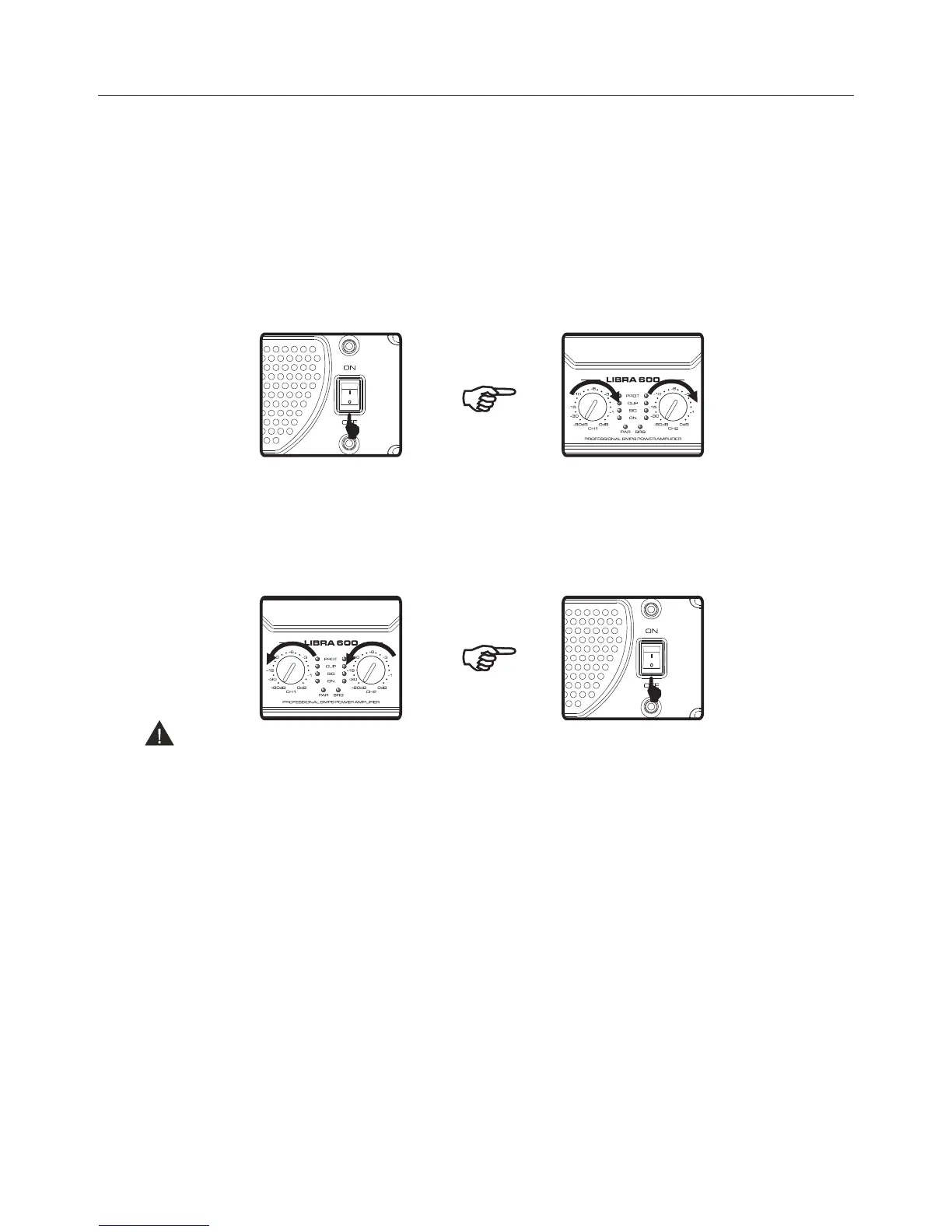
Switch on
1. Connect to the signal source and then connect the plug to the power supply, thus the amplifier inside
is powered and on standby status.
2. Switch on: Press the power switch at " I ", then the amplifier turns on, the stand-by indicator is
off and the power indicator (ON) is on.
3. When the amplifier is powered, the protection LED is on and the amplifier will automatically test
for 10 seconds. The PROT LED will be turned off at the end of test. Then you may adjust front panel
volume control knob to set desired volume.
Switch Off
After using the amplifier, please adjust the CH1/CH2 volume control knobs to the lowest position (-80dB),
then turn off safely the amplifier.
Switch Off: Press the power button to "O", then the amplifier turns off the power indicator (ON)
turns off and the stand-by indicator is lit.
Note:
“ ”
“ ”
1. Don't connect or disconnect the signal source when the amplifier is on, otherwise a noise - which
could damage the amplifier and the speakers will be generated.
2. When the amplifier is connected to power supply, it is powered in standby working mode, although
the power switch is at the off position.
If you do not use the amplifier over 3 hours, you should disconnect the power cord.
Professional Audio Equipment


 To Next Page