14
FJ Dynamics Technology Co., Ltd. All rights reserved.
Overload
If the output ports are overloaded, the product automatically turns off the output and displays fault
code “E08” on the LCD screen.
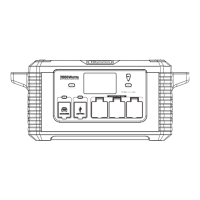
Discharging
Press the main power button for 1s to turn on the product, and 3s to turn off the product. With an
advanced battery management system, the product can charge the connected devices through
AC, DC, and USB output ports.
Frequency setting
The product can automatically detect and adapt to the mains frequency. After the product is
connected to the wall outlet, the mains frequency, "F50" for 50 Hz or "F60" for 60 Hz, is displayed
on the LCD screen.
You can also manually set the AC output frequency of the product. Before using the product to
charge any device, check whether the device uses a 50 Hz or 60 Hz power supply. Then, press
the main power button for 1s to turn on the product.
If the frequency displayed on the LCD screen is different from that of the device to be charged,
perform the following steps to change the AC output frequency of the product:
Step 1: Press and hold the main power button for 3s to turn off the product and its LCD screen.
Step 2: Press and hold the AC power button and press the main power button for 1s to set the
frequency, and then release both buttons.
Cooling fan
The product is designed with an internal cooling fan to ensure a proper operating temperature.
When the output load is high, the fan starts automatically. During discharging and charging, the
fan runs intermittently to maintain a proper operating temperature of the product. When the AC
circuit is activated, the fan starts to ensure the normal operation of the product.
Sleep mode
1. When the product is turned on, and no charging (mains or PV) or discharging (DC, USB, or
AC) is going on, the product enters the sleep mode in 5 minutes.
2. The product does not enter the sleep mode when a charging cable is connected to it, regardless of
whether there is power input.
3. If the USB, DC, and AC output power is lower than 5 W, 5 W, and 25 W respectively, the
product enters the sleep mode in 8 hours.
4. The power consumption of the product is less than 5 mA if you turn off all the switches and put the
product into the sleep mode.
5. Open the upper cover and switch off the battery during transportation or if the product is not
used for a long time. The power consumption of the product is no more than 200 μA after
the battery is switched off.


 To Next Page
 Loading...