13
FJ Dynamics Technology Co., Ltd. All rights reserved.
4)
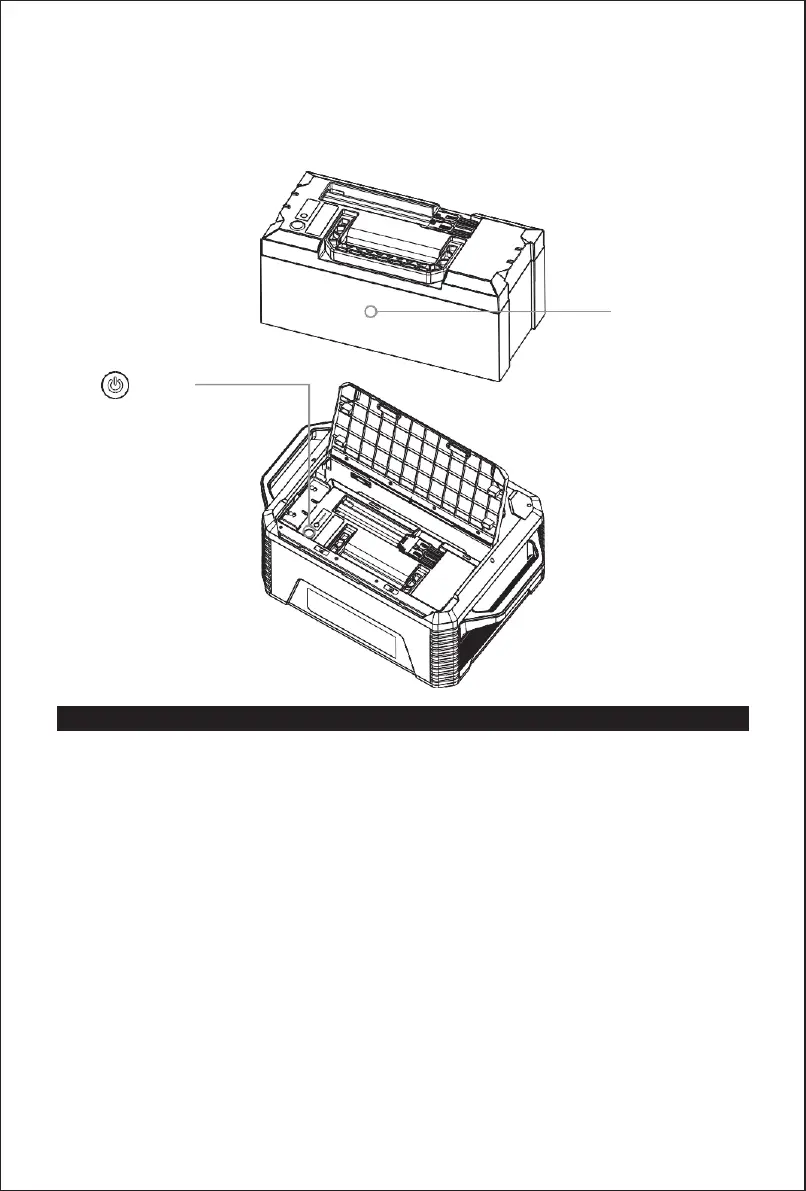
Place in the new battery, insert the metal plate, tighten the screws, and then connect the battery
to the socket.
5)
Turn on the battery, and close the upper cover.
New battery
Turn on
Operation Instructions
Charging
Charging the product with the provided AC charging cable takes 1.8-2.5 hours. The real-time
battery level is displayed on the LCD screen during charging and reaches 100% when the product
is fully charged. It is recommended to fully charge the product at least once every 3 months to
preserve its service life.
Power output
Turn on output ports of a certain type by pressing the corresponding power button. The LCD
screen displays the output power of the ports, and automatically turns off when no output port is
turned on.


 To Next Page