EasyManua.ls Logo

FKG Rooter Universal - Calibration and Settings; Enter Setting Mode; Calibration Process

FKG Rooter Universal
53 pages
Print Icon
To Next Page IconTo Next Page
To Previous Page IconTo Previous Page
Loading...
28
6. Calibration and Settings
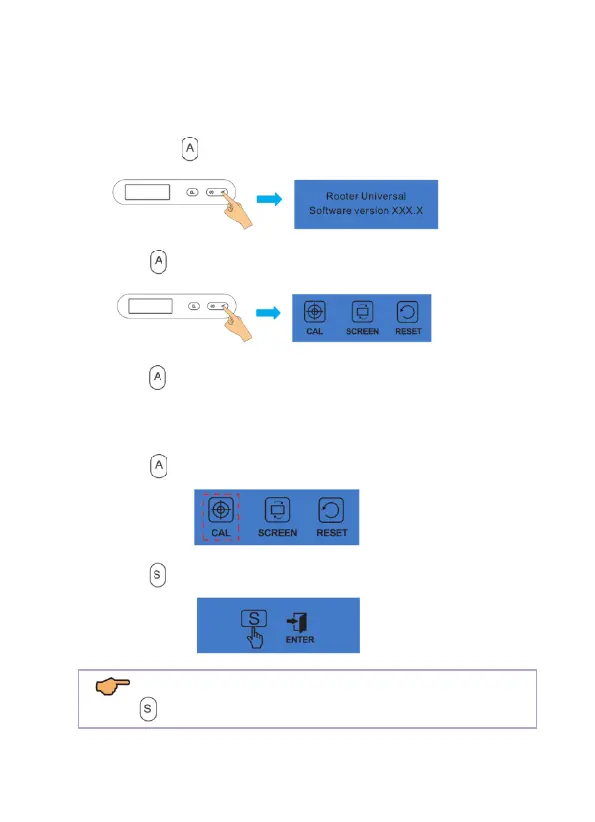
6.1 Enter Setting Mode
a) Hold down to enter setting mode.
b) Press again to enter setting interface.
c) Press again to choose the function you need to set.
6.2 Calibration
a) Press to choose the calibration function.
b) Press to start the calibration process.

NOTE:
Press again to continue or press any other key to exit.