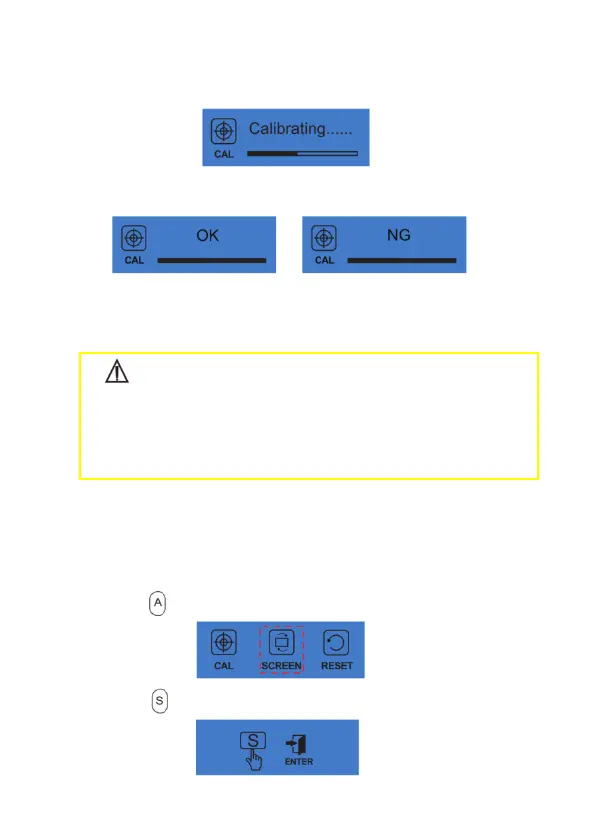
c) During the calibration process, the motor handpiece begins to rotate.
.
d) When the calibration process is completed, the rotation stops.
Display shows OK, indicates that the device function is normal.
Display shows NG, indicates that there is a fault.
CAUTION:
• NG message indicates that the device is not operating properly. Please
contact your local dealer or contact the factory directly for assistance.
• Do not touch the file or apply pressure to the motor, otherwise the
calibration will fail.
6.3 Set Dominant Hand
This will rotate the display direction 180°.
Set this for right or left depending on the user's dominant hand.
a) Press to choose the screen function.
b) Press to start the process.


 To Next Page