We reserve the right to change designs and technical specifications of our products.
Manual ENA 7-30
2726
ENG
2.3.2. Pressure monitoring
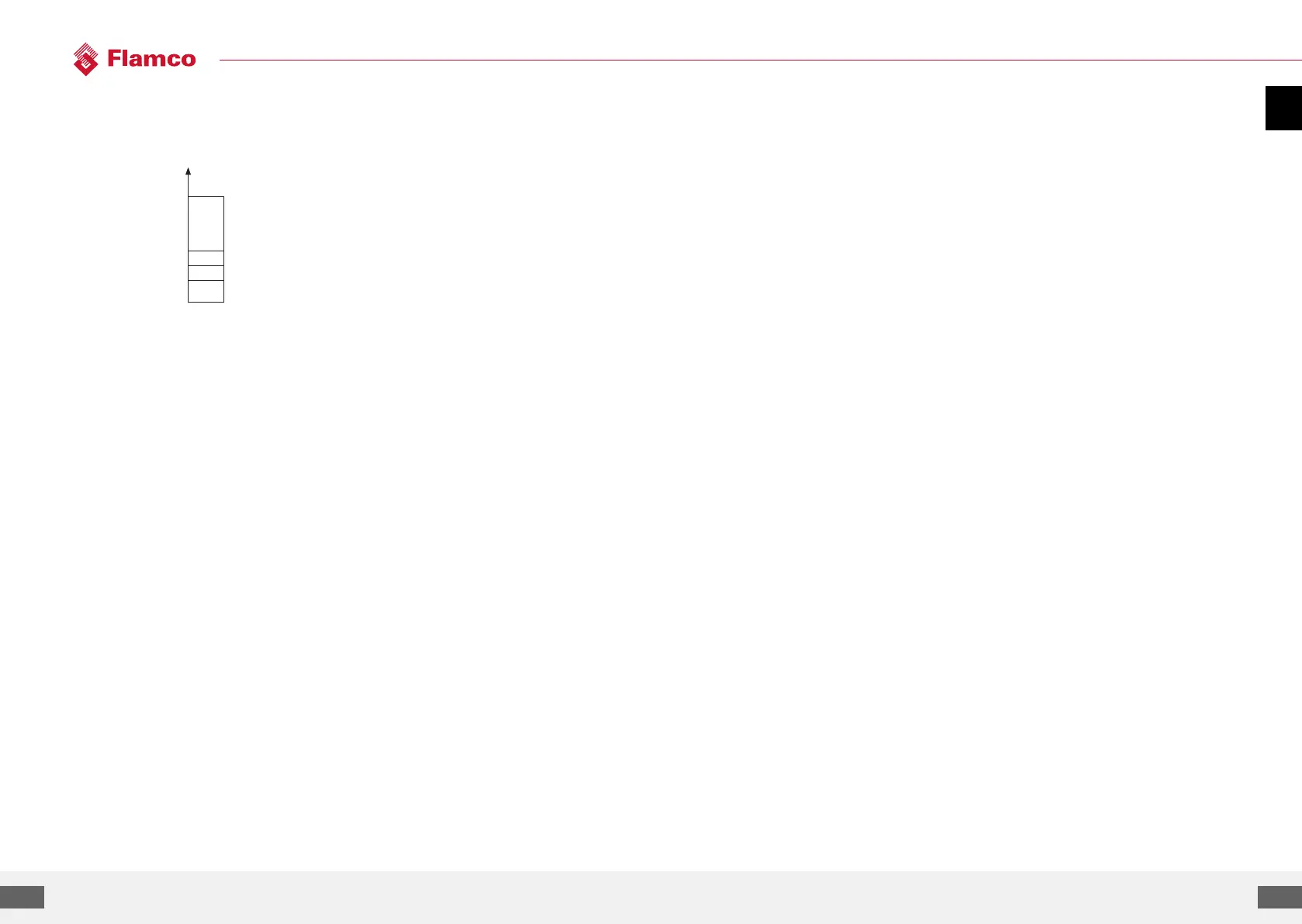
The maximum allowable pressure and level should not be exceeded. Therefore, pressure deviations
are signalled.
pMIN and pMAX are set on the working
pressure limits and
are not adjustable by the operator. pON and
pOFF are
adjustable within these limits.
2.3.3. Monitoring of quantity of water to be treated
If a water treatment module has been installed and the pulse water meter has been set to ON,
the residual water quantity can be read at the lower right in the process menu. I.e.: if the residual
water quantity has been correctly entered in the parameter menu ‘Water treatment prior to
commissioning’. If the quantity is zero litres, the centralised fault alarm will be tripped (if activated),
and an error message will be initiated. Negative values mean that the permissible treated quantity
(capacity) in litres has been exceeded. The ENA 7-30 continues to operate in such a case.
pMAX
Pressure
Upper pressure limit
(operating pressure range)
pMAX
Filling deactivation pressure
Lower pressure limit
(operating pressure range)
Filling activation pressure
Fill command OFF
Fill command ON
Appendix 3. Menu descriptions
3.1. Hardware menu
ID number
Can be parameterised only by the manufacturer and service personnel.
Language
The operator can choose between 17 languages. German (G2_1) is the default setting on delivery.
Litres counter (IWZ)
Set this item to ON only if a pulse water meter (litres counter) is used. The pulse water meter can be
used for directly controlling and monitoring the supplied make-up water. The default setting is OFF.
Water treatment
If a water treatment module has been integrated in the make-up water branch and the litres counter
has been set to ON, the residual water quantity that can be read in litres in the process menu. When
a quantity of zero litres is reached, the centralised fault alarm is tripped, and an error message will
be displayed. Negative values mean that the allowable treatment quantity (capacity) has been
exceeded. The make-up unit continues to operate even if the centralised fault alarm has been
tripped. The operator must activate the water treatment function.
Control mode
(Make-up mode) The operator can operate the system in a level-controlled (controlled from an
external pressureholding control) mode or in a pressure-controlled mode (default setting for normal
gas-cushioned diaphragm expansion vessel).
The operator also can deactivate the make-up function.
Operating mode
The unit is shipped from the factory with the fast mode activated. Upon expiry of the fast interval,
the unit automatically switches to normal. However, the operator can change the operating mode
at any time. The hand mode can be activated for servicing purposes only. Vacuum test serves
for ensuring the de-aerating operation and for checking leakages in the system. This function
must be used when the unit is commissioned and each time the unit is put back into service aer
maintenance. Aer the test has been completed, the unit must be switched back to the fast mode.
Sensor / Motor protection
Already been parameterised. Factory setting.
Common failure
If set to ON (item ticked), the common failure will be tripped upon the activation of the respective error
message. The default setting is ON. It is possible to deactivate the following centralised fault alarms:
‘Exchange module’ and ‘Next maintenance’.
• Exchange module: the water treatment capacity is exhausted. If it is set to ON, a centralised fault
alarm will be tripped.
The unit continues to operate. If set to OFF, no centralised fault alarm will be tripped.
• Next maintenance: maintenance date has been reached. If it is set to ON, the centralised fault
alarm will be tripped and
the unit continues to operate. If set to OFF, no centralised fault alarm will be tripped.


 To Next Page