U.S. Patent No. 8,856,780
>>
>>
>>
01
ENGINE
START
STOP
OFF ACC ON STARTOFF
02
03
[X]
04
05
[Y]
06
07
[Z]
08
[Z]
09
10
11
[Y]
12
13
14
>>
MODULE NAVIGATION PROCEDURE - 1 OF 1
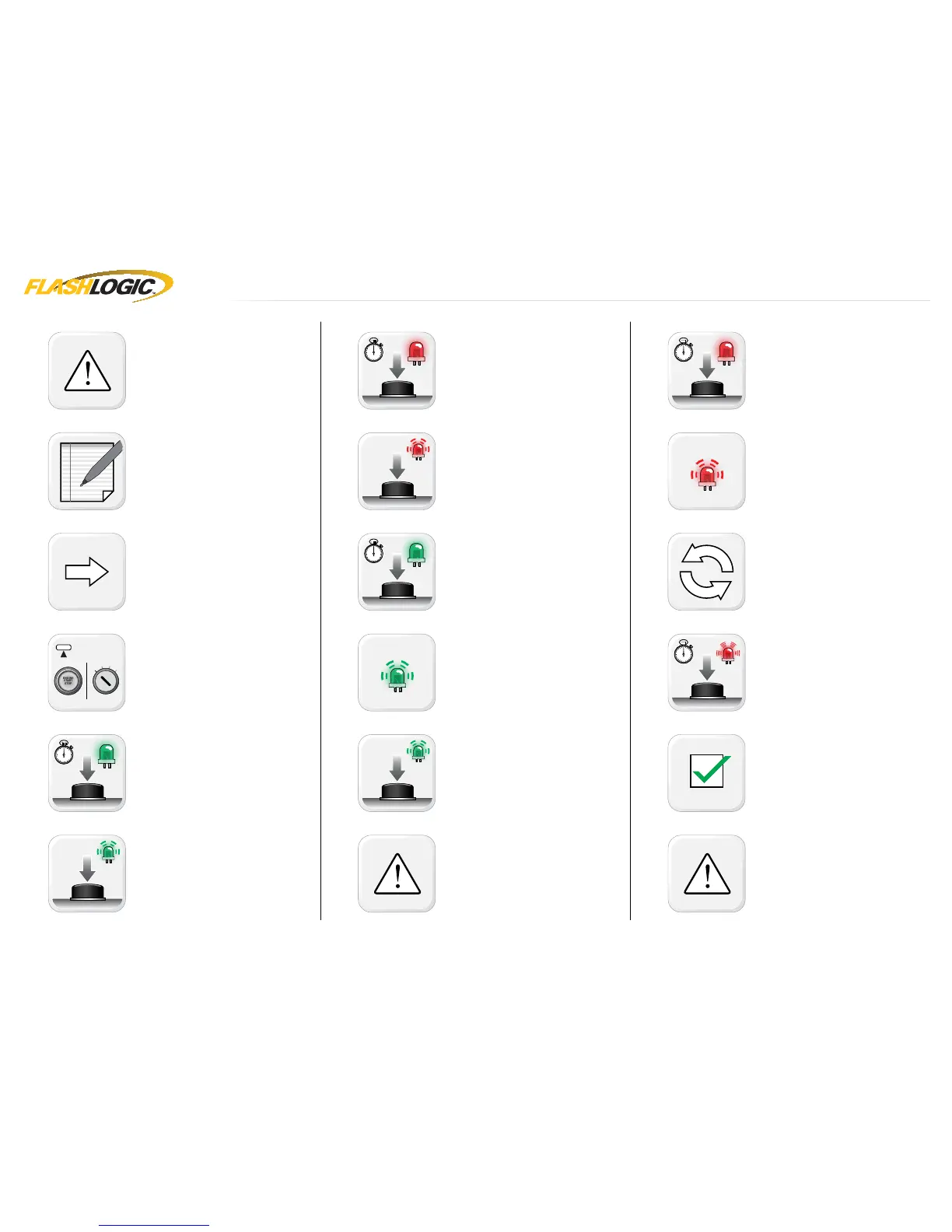
It is mandatory to exit the Module Navigation
at the end of this procedure. Failure to exit the
Module Navigation will drain vehicle battery.
To exit the Module Navigation at any time:
Follow STEP 13.
Module must be programmed to the vehicle.
Use the Module Navigation Chart on the next
page.
Set ignition to OFF position.
TO ACCESS THE MENUS: Press and hold
programming button until LED 1 turns solid
GREEN.
IN THE MENUS: Press the programming
button as many times as the menu number
indicates. LED 1 will fl ash GREEN an equal
amount of times continuously.
TO ACCESS THE OPTIONS: Press and hold
programming button until LED 1 turns solid
RED.
IN THE OPTIONS: Press the programming
button as many times as the option number
indicates. LED 1 will fl ash RED an equal
amount of times continuously.
TO ACCESS THE SETTINGS: Press and hold
programming button until LED 1 turns solid
GREEN.
LED 1 will flash GREEN as many times as
the current (or default) setting number,
continuously.
IN THE SETTINGS: Press the programming
button as many times as necessary to access
your setting. LED 1 will fl ash GREEN an equal
amount of times continuously.
To return to the MENUS: exit the Module
Navigation and redo the Module Navigation
Procedure.
To save and return to the OPTIONS: Press and
hold programming button until LED 1 turns
solid RED.
LED 1 will fl ash RED as many times as the
current option number continuously.
Configure every other setting and proceed to
step 13.
MANDATORY: EXIT MODULE NAVIGATION.
Press and hold programming button for 7
seconds. LED 1 will fl ash RED rapidly. Release
programming button. LED 1 will turn OFF.
Module navigation completed.
Failure to exit the Module Navigation will drain
vehicle battery.
www.flashlogic.comAutomotive Data Solutions Inc. © 2017 FLCGMRSGM10FLRSGM10EN
PAGE 14 OF 20
• 20170427
DOC.: #38693


 To Next Page