E
5x5
C
x4
Accessory Package
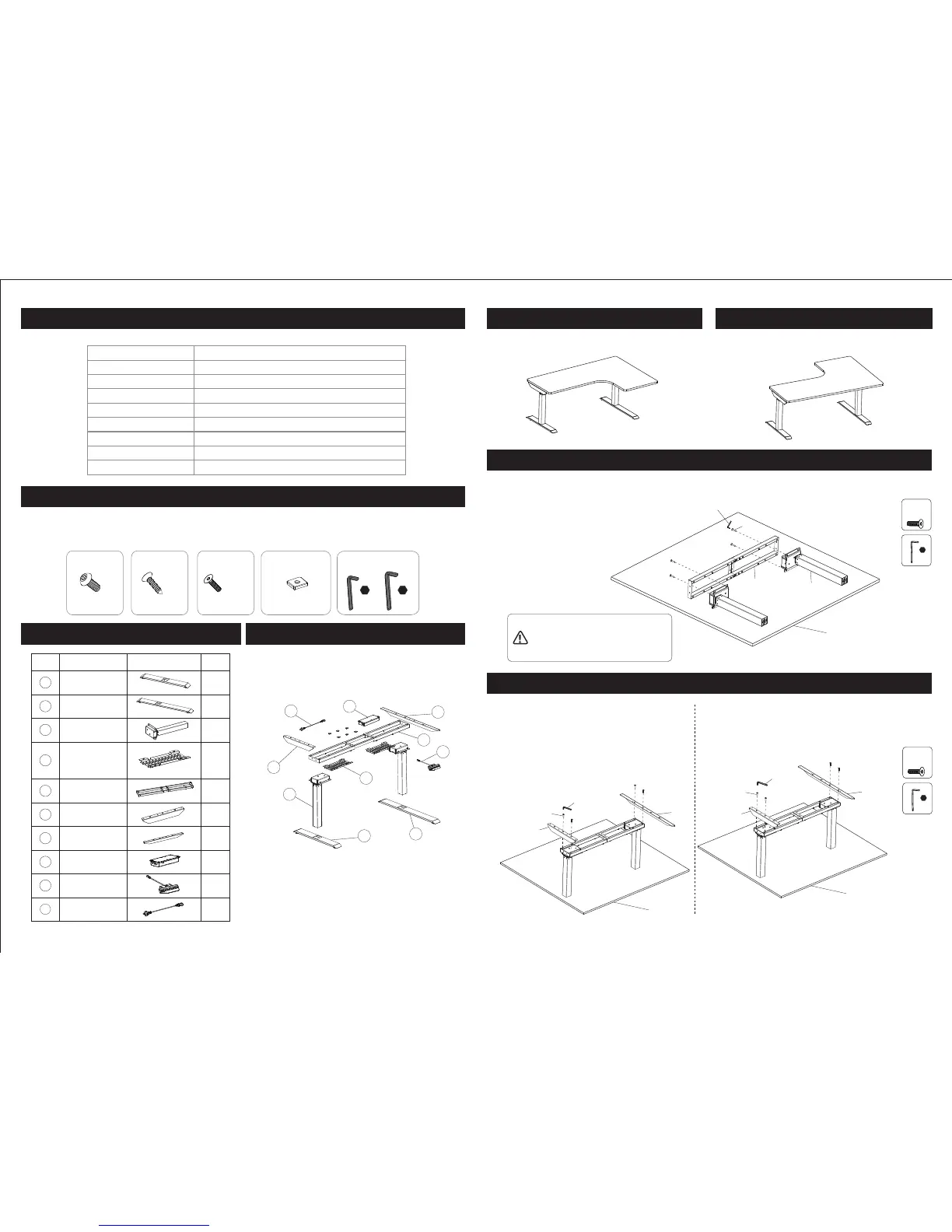
Specifications
01 02
Figures shown are for reference only, specific please in kind prevail. If there is any accessory or tool
missing, contact customer service please..
Step 2
Max. Weight Capacity
220 Ibs (100 kg)
Speed
38mm/s
Input Voltage
100 - 240 V
Adjustable Height
23.6" - 48.4" (600 - 1230 mm)
Wide Expand
43.3" - 70.9" (1100 - 1800 mm)
32º-104º F
CE FCC CUL
Duty Cycle
10% (Working 2 minutes then stop 18 minutes)
Working Temperature
Certification
Column
3
A
M8X35mm
B
M6X16mm
C
x8
D E
x26
St4.2X20mm
x8
Square washer
x6
x1
4x4
x1
5x5
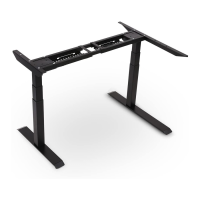
Parts Included Diagram of Components
1
1
1
1
1
Parts
2
3
4
5
6
7
8
9
1
2
1
1
2
NO.
Qty
Short foot
Long foot
Leg
Accessory
Cable
management
plate
Supporting
beam
Short
supporting plate
Long
supporting plate
Control box
Handset
1
2
3
4
6
7
8
9
10
5
1
Connecting
cable
10
Installation 1
Right-hand corner desk
Installation 2
Left-hand corner desk
Step 1
E
5x5
C
x4
Floor
3
5
C
E
Attach the legs (3) to the supporting beam (5) using screws (C). Tighten with the 5x5 hex key (E).
Notice:
When set up the installation,
the backing board should be
laid on the floor to avoid scratch.
C
6
7
E
C
6
7
E
Floor
Floor
Installation 1:
Right-hand corner desk installation
Installation 2:
Left-hand corner desk installation
Attach the short supporting plate (6) and
long supporting plate (7) to the supporting
beam (5) using screws (C). Tighten with
the 5x5 hex key (E).


 To Next Page