12
ECONORDIC W4
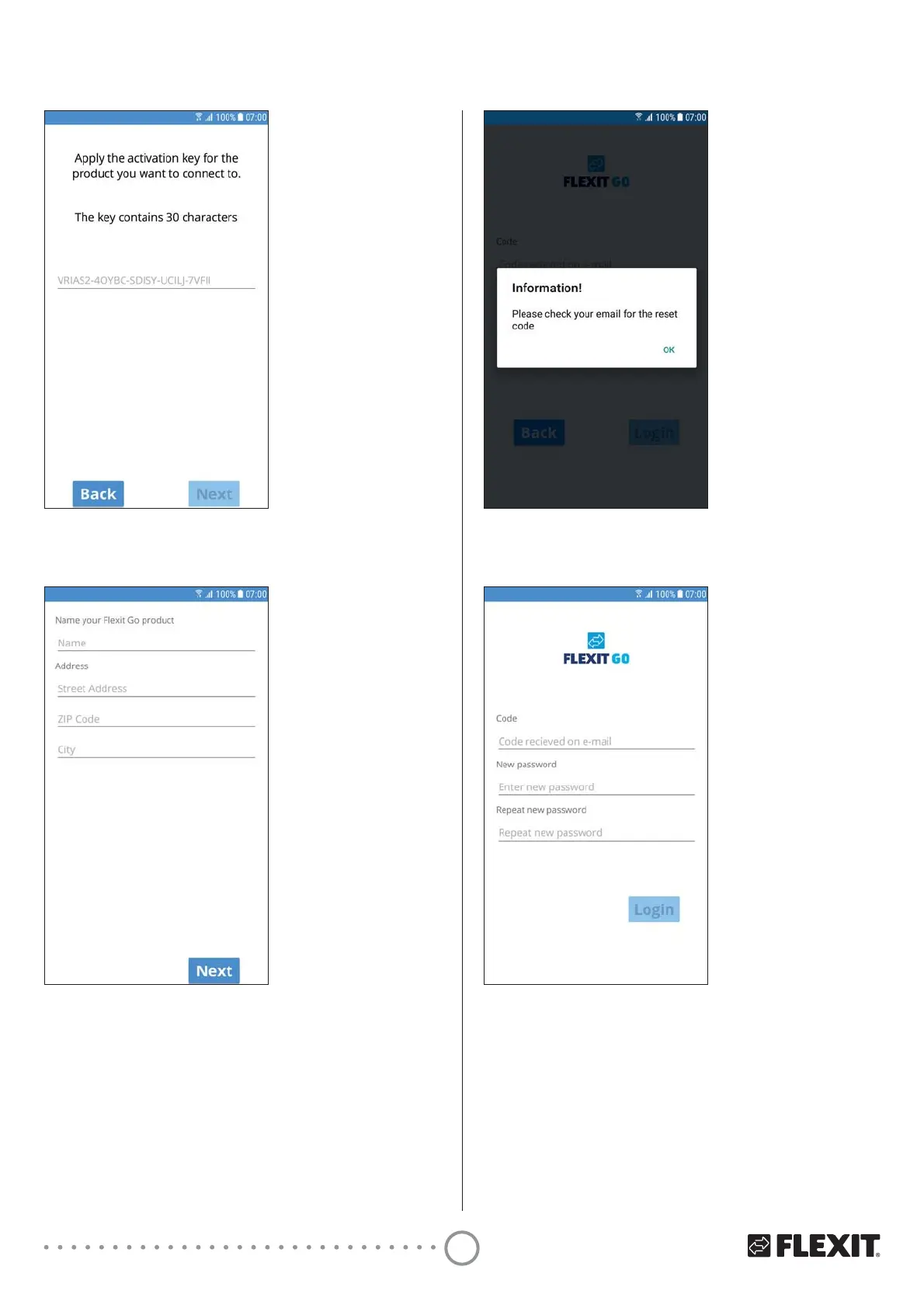
11 Press ’OK’.
12 Enter the code you received by email.
13 Enter the password you want to use.
It should consist of at least 8 characters, including
at least one character from each of the following
four groups:
- one upper-case letter (A to Z)
- one lower-case letter (a to z)
- one numeral (0 to 9)
- one special character (e.g. !, $, +,?)
14 (QWHU\RXUSDVVZRUGDJDLQWRFRQȴUPLW
15 Press ’Login’.
7 Press ’Next’.
8 Enter the name you want to give your product.
9 Enter the address where your product is installed.
10 Press ’Next’.
Information that you have received a reset code will
be sent to the email address you have given.
Open the email and make a note of the code.
Enter the code so that you can create a password
for your account.


 To Next Page