14
ECONORDIC W4
4.5. 6\VWHPGLHUHQFHVEHWZHHQ$QGURLG
DQGbΖ26
Depending on the type of system on your mobile device,
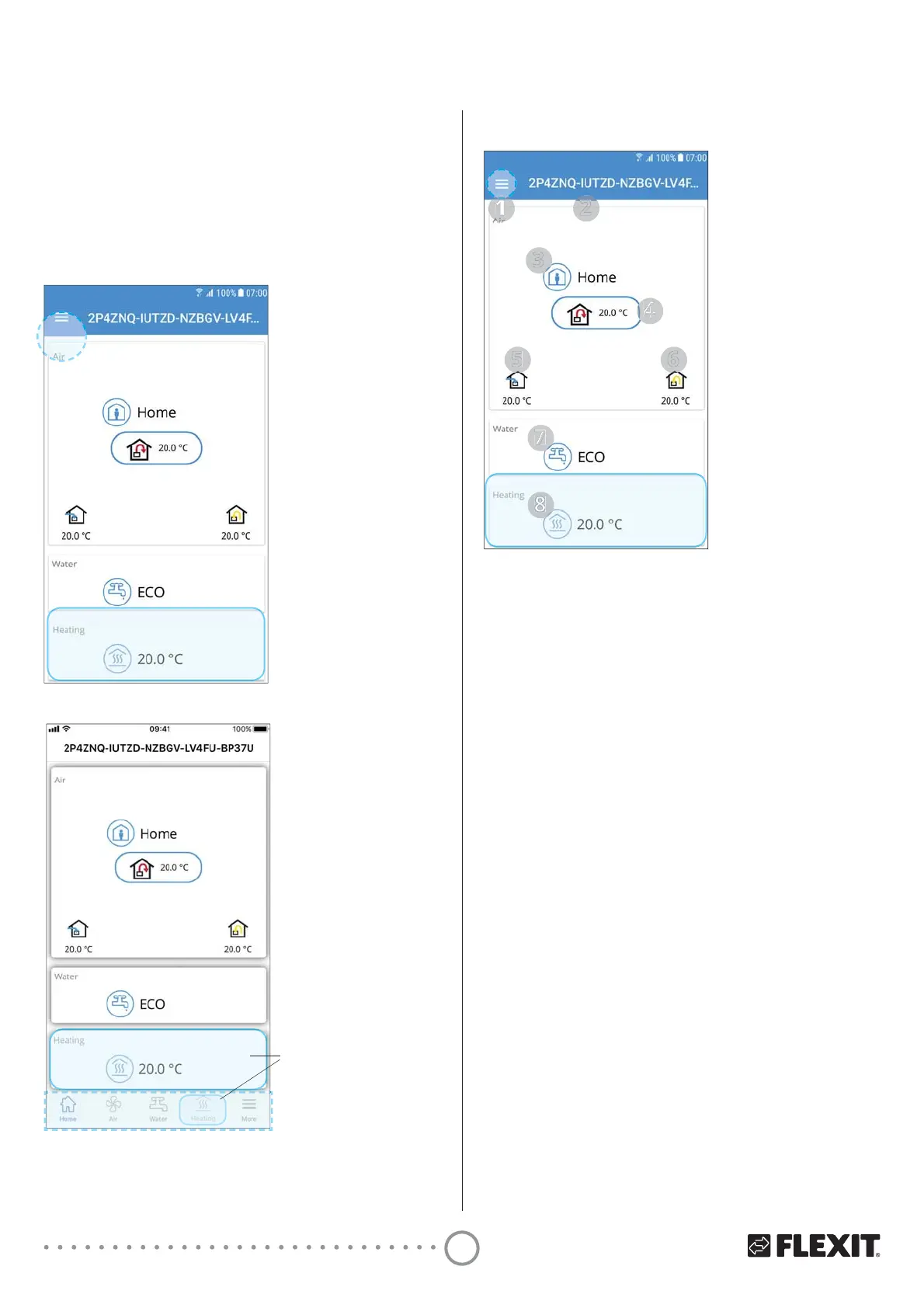
$QGURLGRUL26\RXUKRPHVFUHHQZLOOORRNGLHUHQW7KH
PDLQGLHUHQFHLVWKDW$QGURLGKDVWKHPHQXVHOHFWLRQ
at the top left of the home screen, while iOS has icons
for menu selection at the bottom of the home screen.
- WH4 only
WH4 only
4.6. EcoNordic W4 home screen WH4/W4
- WH4 only
7KHKRPHVFUHHQLVWKHȴUVWSDJH\RXODQGRQZKHQ\RX
connect to the product. All values displayed are current
values.
1 Menu
Press or swipe from the left to open the main menu.
2 Name of the product
• Local connection = Activation key
• Cloud connection = The name you gave the product
3 Ventilation mode
Press to change ventilation mode
4 Set point for intake air temperature
Press to change set point for intake air temperature.
5 Outdoor air temperature
6 Outlet air temperature
7 Water mode
Press to change water mode.
8 Heating
Press to change heating parameters
4.7. Change ventilation mode
From this screen, you can change the ventilation mode.
To select one of the ventilation modes, just press the
desired mode and then press start. In some modes
you can select delayed start or a duration.


 To Next Page