13
ECONORDIC W4
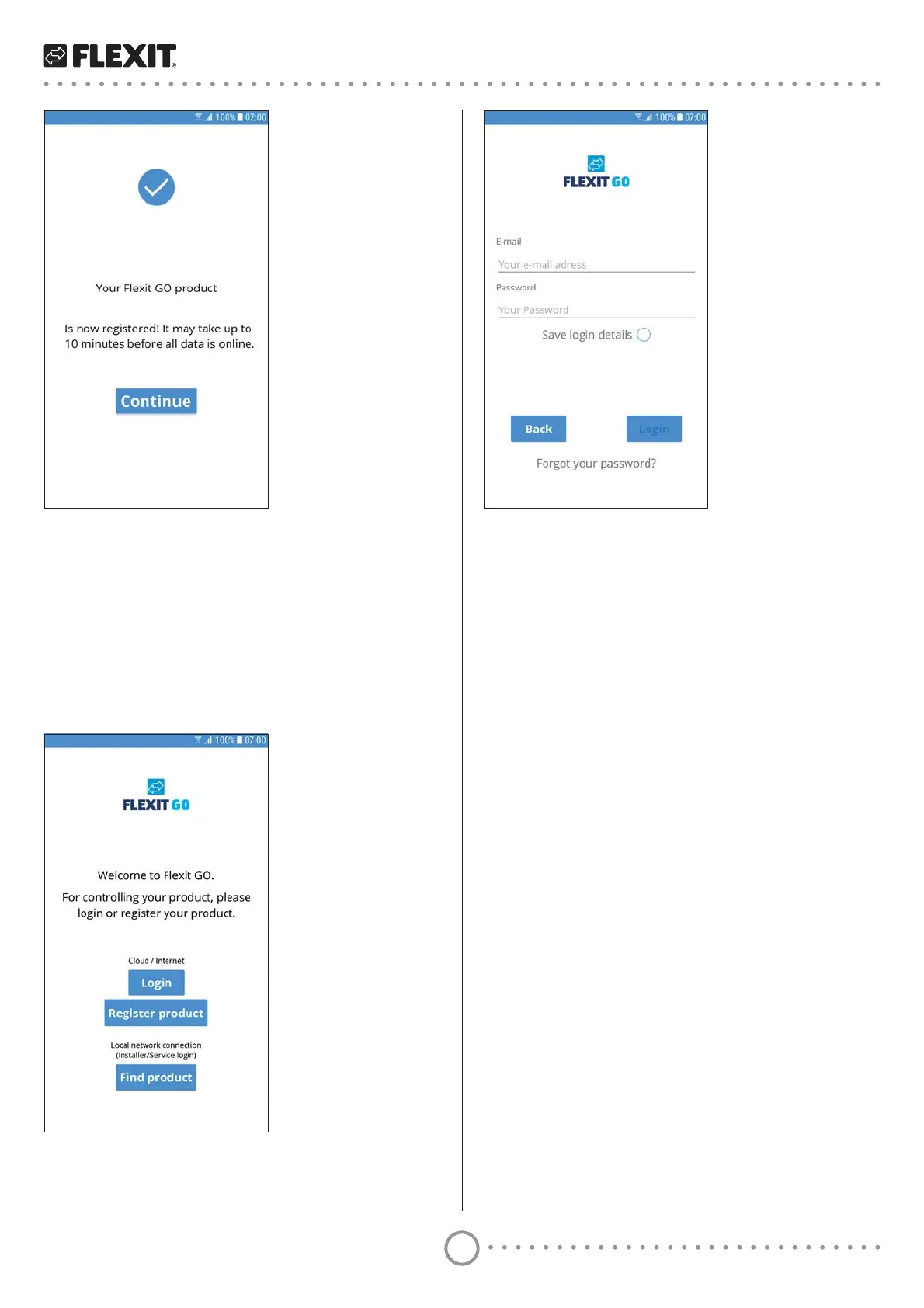
2 Enter the email address where you created an
account.
3 Enter your password.
4 Press ’Save login details’ if you want your mobile
device to save your login details. In this case, you do
not need to enter them every time you start the app.
5 Press ’Login’.
16 Press ’Continue’.
If all data is accessible in cloud computing,
you will be logged in to your product.
4.4. Logging in via cloud computing
To log in to your product via cloud computing, both your
product and your mobile device must be connected to
the internet.
1 Press ’Login’.
EcoNordic


 To Next Page