14
CI600 User Manual
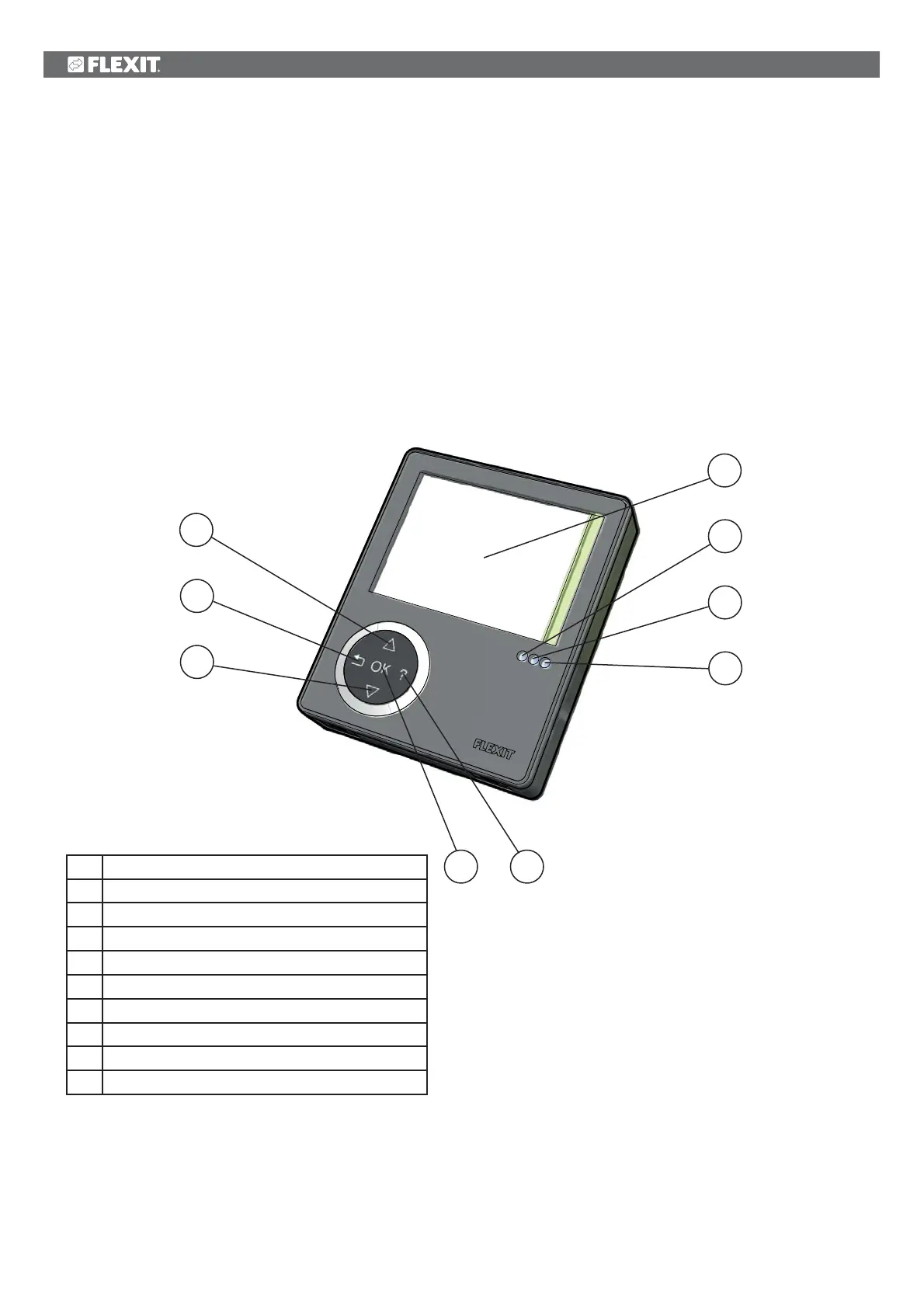
6 CI600 control unit overview
No. Description
1
*
UP/INCREASE switch
2
BACK/CANCEL/NO switch
3
DOWN/DECREASE switch
4
OK/YES switch
5
HELP switch
6 Display
7
Indication of OPERATION/OK - Green light
8
Indication of FILTER REPLACEMENT - Yellow light
9
Indication of ALARM - Red light
6
7
8
9
1
*
2
3
4 5
*The figures are used as references in subsequent descriptions
5.7 Reset
After the filter has been replaced or the cause of the
alarm repaired, the alarm must be reset. This is done by
pressing switch 12.
If the indicator goes out, the action has been carried out
correctly. If the indicator remains on, the fault has not
been repaired correctly.
NB! If thermostat F10 trips, the unit will have to be
opened up and physically reset before resetting on the
panel. If the alarm trips repeatedly, contact the service
company or distributor.


 To Next Page